How do automotive cockpit displays affect driver distraction?




Automotive cockpit displays affect driver distraction by changing where drivers look, how often they look away from the road, and how much attention an interaction demands. A well-placed display with legible, timely information can shorten visual searches. A complex menu, a poorly positioned control, or an alert delivered during a demanding maneuver can have the opposite effect.
Evaluating cockpit automotive systems therefore requires more than measuring screen size or response speed. Display placement, visual design, interaction method, driving conditions, and the meaning of each message all influence the driver's ability to maintain awareness of the road.
Display placement changes glance behavior
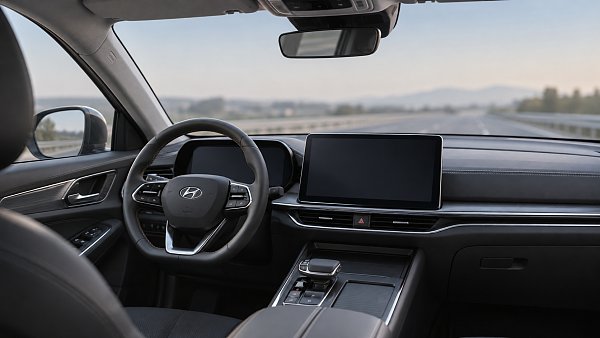
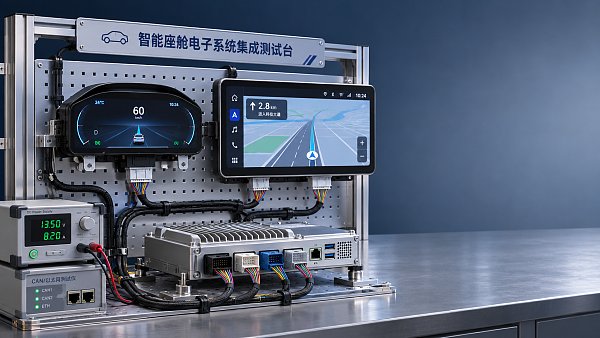
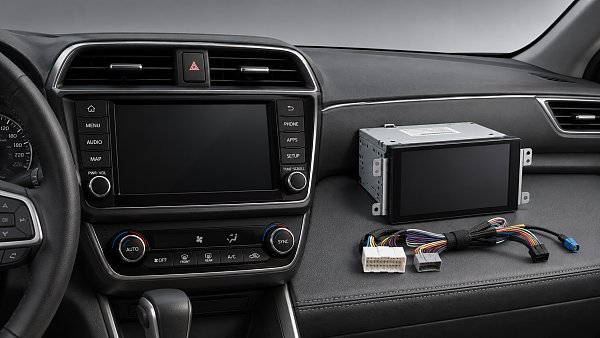
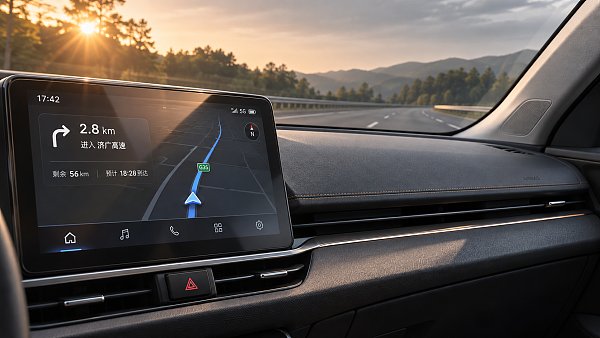
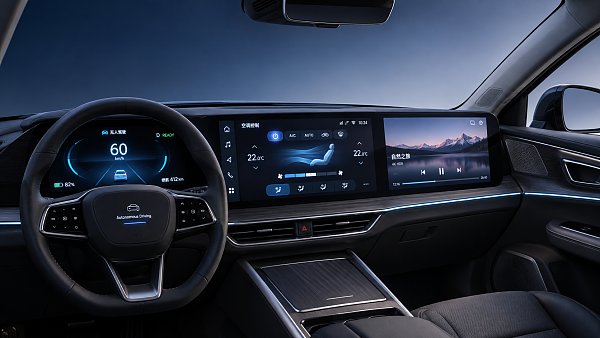
A center display often requires a larger shift in gaze than an instrument cluster positioned near the driver's forward view. Its effect depends on both the direction of the glance and the task performed: reading a large turn arrow can take less time than searching a crowded settings menu, even when both appear on the same screen. A display mounted higher on the dashboard can reduce the angle of the glance, but it must also avoid obstructing the driver's view.
Placement should be assessed from realistic seating positions rather than a single design reference point. Seat height, steering-wheel position, driver stature, and the angle of the display can change visibility and reach. A screen that is easy to read when the vehicle is stationary can become difficult to use when road vibration or body movement makes small targets harder to select.
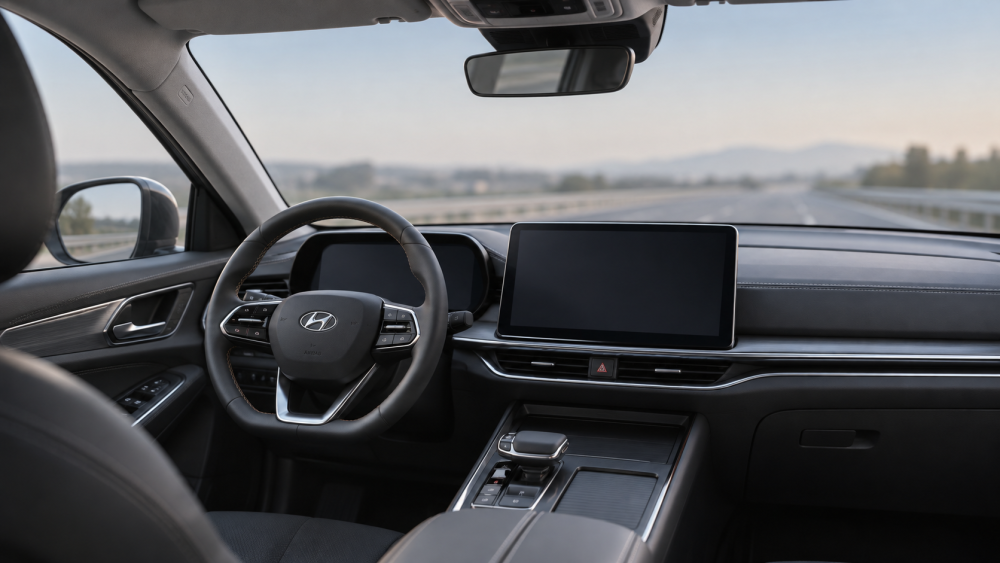
Glance duration and glance frequency describe different risks. One extended look away from the road leaves a long interval without direct visual sampling of the driving scene. Many short glances can also interrupt monitoring, particularly when traffic changes between them. Total time spent looking at a display does not show how that time was distributed, so the individual glance pattern matters.
Visual complexity can turn a quick glance into a search
Drivers must find relevant information, distinguish it from surrounding content, and interpret it before returning attention to the road. Small text, similar-looking icons, dense maps, animated backgrounds, and changing layouts all add to this work. The same information can produce different glance patterns when its position, contrast, or visual priority changes.
Critical information benefits from a stable location and a clear hierarchy. A warning that competes with entertainment graphics for visual prominence can be missed; an oversized, persistent warning can obscure other information or encourage drivers to disregard it. Color helps distinguish states, but color alone is fragile under glare, altered lighting, or differences in color perception. Shape, text, and position can reinforce the meaning.
Brightness, contrast, and reflections
A display's laboratory luminance does not by itself describe its readability in a vehicle. Direct sunlight can wash out dark details, while reflections from windows, clothing, or interior trim can cover a target. At night, excessive brightness can create discomfort and interfere with adaptation to the dark surroundings. Automatic dimming helps only when the sensor, calibration, and transition behavior match the range of cabin conditions.
Glare and small text can produce the same symptom—longer glances—but call for different remedies. Enlarging a label will not necessarily resolve a bright reflection across it, and increasing brightness can make nighttime viewing worse. Tests should record the lighting and viewing geometry alongside the observed behavior.
Touch interaction adds visual and manual demand
A touchscreen combines the display and control surface, but it gives little positional feedback before contact. The driver must often look to locate a target, reach for it, and look again to confirm the result. Small or closely spaced targets increase the chance of a missed selection, particularly on uneven roads. Latency can create a similar pattern: if the interface responds slowly, the driver may repeat the input or watch the screen longer to determine whether it registered.
Physical controls can support operation by touch, especially for frequently used functions, but their shape and location still need to be distinguishable. A poorly labeled switch or a control hidden behind the steering wheel can introduce its own search and reach demands. Voice interaction can reduce manual input, yet recognition errors, long prompts, and complex spoken exchanges can divert cognitive attention even when the driver's eyes remain forward.
Interaction cost includes recovery from mistakes. A menu that takes few steps when used correctly can become distracting if a missed tap opens a different function and the driver must navigate back. Disabled controls, loading states, and confirmation messages should make the current system state clear without requiring repeated inspection.
Head-up displays reduce gaze shifts but introduce trade-offs
A head-up display projects information into the driver's forward field of view. Speed, navigation cues, or selected warnings can then be viewed with a smaller change in gaze direction than information on a center screen. This arrangement is useful only if the projected content remains legible and does not mask relevant parts of the road scene.
Keeping the eyes forward does not guarantee attention to traffic. A bright, animated overlay can capture attention, and a driver interpreting a complicated navigation instruction can miss an event visible through the windshield. This effect is distinct from a long glance at a center display: the eyes are directed forward, but attention is occupied by the displayed task.
Image position and contrast need assessment across driver eye positions, ambient lighting, and backgrounds. A projection visible against a dark road surface can become difficult to read against a bright sky. Windshield reflections, image distortion, and alignment errors can also affect readability. For augmented overlays, a cue that appears to point toward the wrong lane or object can create uncertainty even when the underlying route data is correct.
Driving context changes the cost of the same task
A glance that is manageable on a straight, quiet road can be poorly timed during a lane change, at an intersection, or when traffic is braking. Road curvature, vehicle speed, weather, and traffic density affect how quickly the scene can change. The interface should be assessed during representative driving tasks, including moments when the driver must divide attention between navigation, vehicle control, and surrounding traffic.
Notification timing is equally significant. A low-priority message displayed during a maneuver can compete with an urgent road event; several alerts arriving together can conceal the one that matters. Deferring nonessential content and presenting urgent information in a distinguishable way can reduce competition, provided the system can reliably identify the relevant state and does not delay a necessary warning.
Task familiarity also affects results. A driver who knows a menu location can complete an operation with fewer searches than someone encountering it for the first time. Both conditions reveal useful information: familiar use exposes the burden of repeated operation, while first use reveals discoverability and ambiguous labels.
Measuring distraction in a repeatable evaluation
Testing should connect each display interaction to a defined driving scenario and a specific task, such as changing a climate setting or following a navigation prompt. Record the starting screen, requested action, vehicle motion, lighting, and traffic conditions. Without these details, differences between interface versions can reflect a changed test situation rather than a design improvement.
Eye tracking can capture where drivers look and the duration of individual glances. Its output should be interpreted alongside video, task events, and driving measures: tracking can be affected by occlusion, eyewear, calibration quality, and head movement. A missing gaze sample is not automatically an off-road glance. Define display and road-view regions consistently, and inspect data loss before comparing results.
- Visual demand: individual off-road glance durations, frequency, and total off-road glance time show different aspects of visual allocation.
- Task performance: completion time, missed inputs, incorrect selections, and recovery steps reveal interaction problems that a successful final result can conceal.
- Driving performance: lane position, speed control, response to relevant events, and other scenario-appropriate measures show whether vehicle control or monitoring changed during the task.
- Subjective feedback: reported workload and observed uncertainty help identify confusing labels or feedback, but do not replace behavioral measurements.
Compare results with a clearly described reference condition, such as driving the same scenario without the secondary task or using an existing interface. A shorter task time is not sufficient evidence of improvement if it is achieved through longer individual glances or more driving errors. Likewise, a reduction in glances can reflect an unfinished task rather than an easier one.
Standards and regulations require scope-specific interpretation
Driver-distraction guidance and vehicle regulations address different aspects of an interface. Some procedures focus on visual and manual interaction with tasks performed while driving; others address the presentation of information, controls, or particular vehicle functions. Applicability depends on the jurisdiction, vehicle category, equipment, and intended use. Identify the applicable edition and test procedure before treating any numerical criterion as a requirement.
A result from a simulator, a stationary task test, or an on-road study should not be presented as interchangeable with another method without checking its scope and conditions. Standards-based assessment establishes evidence against a defined procedure; it does not eliminate the need to investigate glare, unusual driver positions, software latency, or combinations of alerts that the procedure does not exercise.
When a design changes, preserve the link between the tested software build, display hardware, calibration, and vehicle configuration. A revised font, relocated control, new alert, or altered response time can change the interaction that was measured. Retesting the affected tasks under the same conditions makes it possible to distinguish an interface improvement from a shift in the test setup.
Have questions about this sector analysis, or seeking best practices specific to your niche? Drop us a line below and let the senior consultants at GAC assist you.
“We respect your privacy. Your information is strictly confidential.”
Related News
- 00
0000-00
How do automotive cockpit displays affect driver distraction? - 00
0000-00
How HDR imaging helps automotive camera systems handle glare - 00
0000-00
What does AEC-Q100 qualification mean for automotive camera systems? - 00
0000-00
How to verify a waterproof connector supplier's IP ratings - 00
0000-00
How do air pockets affect automotive coolant systems?
Weekly Insights
Stay ahead with our curated technology reports delivered every Monday.
Recommended News
 How do automotive cockpit displays affect driver distraction?Discover how cockpit automotive systems influence driver distraction, from screen placement and touch controls to head-up displays and real-world testing.Author:Time:Nov 25, 2026
 How HDR imaging helps automotive camera systems handle glareDiscover how Automotive Camera Systems HDR imaging preserves detail in glare, and explore practical tests for motion, LED flicker and latency.Author:Time:Nov 24, 2026
 What does AEC-Q100 qualification mean for automotive camera systems?Automotive Camera Systems AEC-Q100 qualification: Discover what it means for IC reliability, temperature grades and camera validation before approving a design.Author:Time:Nov 22, 2026
 How to verify a waterproof connector supplier's IP ratingsWaterproof connector supplier IP ratings: learn how to verify test reports, match configurations and reduce automotive sourcing risks before you buy.Author:Time:Nov 21, 2026
 How do air pockets affect automotive coolant systems?Automotive Coolant Systems can overheat when air pockets disrupt coolant flow. Discover the warning signs, safe bleeding methods, and when to seek further diagnosis.Author:Time:Nov 20, 2026
 How to identify automotive component export opportunities in new marketsDiscover Automotive Component Export opportunities in new markets by assessing buyer access, technical fit, trade requirements, and landed costs.Author:Time:Nov 19, 2026
 How to assess a smart cockpit electronics manufacturer's integration capabilityAssess a smart cockpit electronics manufacturer's integration capability with practical checks for interfaces, testing, safety, cybersecurity and supplier support.Author:Time:Nov 18, 2026
 How does a shielded HSD cable reduce interference in vehicles?Discover how a shielded HSD cable reduces vehicle interference, and learn why connector design, routing, and testing matter for reliable high-speed data links.Author:Time:Nov 17, 2026
 What drives demand for scroll compressors in the automotive market?Explore the scroll compressor for automobile market and discover how EV adoption, heat pumps, efficiency, and supplier capabilities shape demand.Author:Time:Nov 16, 2026
 Does AEC-Q200 apply to flexible printed circuits?Flexible Printed Circuit AEC-Q200 requirements explained: discover which components qualify and how to assess automotive FPC reliability.Author:Time:Nov 15, 2026
 How does production volume affect automotive flexible electronics costs?Explore how production volume affects automotive flexible electronics cost, from tooling and yield to testing. Compare quotes and negotiate smarter.Author:Time:Nov 14, 2026
 How much does an in-vehicle infotainment system cost to replace?Explore in-vehicle infotainment cost, from affordable repairs to factory replacements. Compare options, installation fees, and compatibility before you buy.Author:Time:Nov 13, 2026
 How does condenser efficiency affect heat pump performance?Discover how condenser high efficiency can improve heat pump performance, reduce compressor power, and boost heating COP—plus the trade-offs to watch.Author:Time:Nov 12, 2026
 What does each FAKRA cable color code mean?FAKRA cable color code explained: Explore common connector colors, typical uses and key compatibility checks before choosing a replacement.Author:Time:Nov 11, 2026
 How to compare noise ratings for battery coolant pumpsCompare coolant pump low noise ratings with confidence. Learn how test conditions, hydraulic duty, tonal noise and installation affect your choice.Author:Time:Nov 10, 2026
 How bright should automotive display systems be in sunlight?Automotive Display Systems need more than brightness to stay readable in sunlight. Discover why 1,000 nits is a starting point and how to evaluate glare and heat.Author:Time:Nov 09, 2026
 How heat pumps improve the efficiency of EV thermal systemsEV Thermal Systems use heat pumps to reduce heating energy demand. Explore how they work, where they excel, and what limits efficiency in cold weather.Author:Time:Nov 08, 2026
 Can a smart cockpit platform support multiple displays?Can a smart cockpit platform support multiple displays? Explore key requirements for performance, safety, connectivity, and supplier evaluation.Author:Time:Nov 07, 2026
 How is automotive connector vibration resistance tested?Automotive connector vibration resistance testing reveals hidden contact failures. Explore test profiles, continuity monitoring and pass criteria.Author:Time:Nov 06, 2026
 How heat pumps save energy in automotive cabin climate systemsAutomotive Cabin Climate Systems energy saving starts with smarter heat pump design. Explore real-world efficiency, cold-weather trade-offs, and testing tips.Author:Time:Nov 05, 2026
 Is an EV heat pump worth it for winter driving range?Is a heat pump worth using in a cold-climate EV? Discover how it affects winter range, when it pays off, and what to check before buying.Author:Time:Nov 04, 2026
 When should you use 50-ohm coaxial cable instead of 75-ohm?Coaxial cable 50 ohm or 75 ohm? Learn when to use each, avoid impedance mismatches, and choose the right cable for reliable RF and video performance.Author:Time:Nov 03, 2026
 How to select a high temperature motor harness for an EVChoose the right high temperature motor harness for your EV. Compare thermal limits, current capacity, shielding, routing, and validation evidence.Author:Time:Nov 02, 2026
 How much does electric power steering replacement cost?Electric power steering price typically ranges from $1,000 to $3,000 for major replacements. Discover cost factors, repair options, and tips for comparing quotes.Author:Time:Nov 01, 2026
 How to size an EV A/C compressor for the required cooling capacitySize an EV A/C Compressor with confidence. Explore cooling loads, performance maps and power limits to select the right compressor for your vehicle.Author:Time:Oct 31, 2026
 How to choose the right pitch for an FPC board connectorFPC board connector pitch affects space, assembly and reliability. Learn how to compare options and select the best fit for your design.Author:Time:Oct 30, 2026
 How zonal design affects harness routing in high-voltage EV architecturesExplore high-voltage electrical architecture zonal design and its impact on EV harness routing. Discover key trade-offs in cable length, safety, thermal performance, and service access.Author:Time:Oct 29, 2026
 How tariffs affect costs in global automotive parts supply chainsNavigate tariffs in the global automotive parts trade supply chain. Learn to compare landed costs, manage duty exposure, and uncover smarter sourcing strategies to protect your margins.Author:Time:Oct 28, 2026
 How to assess vendor lock-in in a software-defined vehicle platformAssess Software-Defined Vehicle platform lock-in with practical tests for API portability, data access, update control, and exit costs. Learn how to choose a platform with a proven exit path.Author:Time:Oct 27, 2026
 How ISO 26262 guides functional safety in steer-by-wire systemsExplore steering systems functional safety through ISO 26262. Learn how hazard analysis, fault-tolerant design, and validation build a stronger steer-by-wire safety case.Author:Time:Oct 26, 2026