What Should Be Checked Before Selecting an Automotive Head Unit?




Selecting an automotive head unit is not a matter of choosing the largest display, the newest Android version, or the longest feature list. The correct unit is the one that fits the vehicle’s electrical architecture, human-machine interface strategy, regulatory market, and expected service life without creating integration or cybersecurity liabilities.
The most expensive mistakes usually appear after a unit has been selected: a camera interface has unacceptable latency, HVAC controls are not reliably available through the screen, the processor cannot sustain navigation and wireless projection simultaneously, or the software supplier cannot support security patches after vehicle launch. A useful selection process therefore begins with the vehicle and its required functions, not with the head unit specification sheet.
Define what the head unit is expected to control
“Head unit” can describe very different products. In a basic vehicle, it may be an audio receiver with Bluetooth, USB, radio, and a small display. In a connected vehicle, it can be the central infotainment computer coordinating navigation, telematics, phone projection, multi-camera views, voice interaction, vehicle settings, rear-seat entertainment, and cockpit displays.
This distinction affects almost every technical and commercial decision. A unit intended only for media playback has limited implications for vehicle control. A cockpit-domain head unit that displays warnings, configures advanced driver assistance system (ADAS) settings, or operates climate-control menus has much higher requirements for boot behavior, network architecture, software validation, availability, and lifecycle management.
Before requesting quotations or reviewing samples, define the functional boundary in writing:
- Which functions must remain available when phone projection is active?
- Which vehicle functions will be accessed through the unit: HVAC, lighting, parking sensors, cameras, seat controls, drive modes, charging settings, or diagnostics?
- Is the unit a standalone infotainment device, part of an integrated cockpit system, or a gateway to cloud and telematics services?
- Which functions must work immediately after startup, and which can load later?
- What must remain usable if connectivity, cloud services, or a paired smartphone are unavailable?
Without this boundary, suppliers may quote technically valid but functionally incomparable configurations. A low-cost unit may meet a list of entertainment features while omitting the hardware interfaces, software framework, or validation scope needed for vehicle integration.
Start with vehicle architecture, not the front-panel design
Compatibility with the vehicle’s electrical and communication architecture is the first hard gate. A head unit must fit the available power supply, wake-up logic, network topology, connector strategy, and data interfaces. Physical fitment alone is not compatibility.
Power conditions deserve particular attention. The unit must tolerate the operating voltage range, transient conditions, cold-crank behavior where relevant, reverse-polarity protection requirements, and load-dump exposure specified for the vehicle platform. It also needs a defined strategy for sleep current, wake-up sources, ignition behavior, and controlled shutdown. A unit that consumes excessive quiescent current can become a battery-drain issue long after installation.
Network integration should be evaluated at the message and ownership level. CAN, CAN FD, LIN, Automotive Ethernet, MOST, LVDS, FPD-Link, or GMSL may all be relevant depending on platform design. The key question is not merely whether a supplier states that an interface is supported. It is whether the unit can exchange the required signals at the needed speed, with the correct security model, diagnostic behavior, and failure handling.
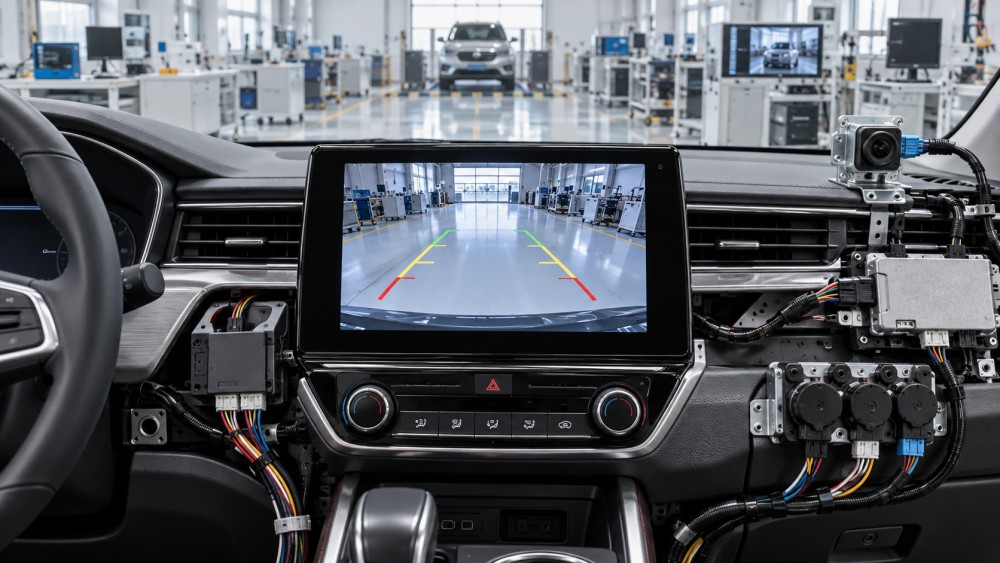
For example, camera streams may require dedicated high-speed video links rather than a general vehicle network. A 360-degree surround-view system also depends on synchronization, image processing, calibration retention, latency limits, and reliable switching between views. Connecting four cameras is not the same as delivering a usable parking-view function.
Check integration ownership for controls and displays
Modern cockpit integration often fails because the division of responsibility is unclear. Steering-wheel controls, instrument-cluster prompts, HVAC interfaces, amplifier settings, camera triggers, parking sensors, and warning chimes may involve several electronic control units. Each function needs an identified signal path, interface owner, and fallback behavior.
Touchscreen HVAC control illustrates the issue. If temperature, fan speed, and defrost functions are only accessible through the central display, the design must address boot time, display failure, input failure, communication loss, and driver usability. Regulations and internal vehicle safety requirements may impose constraints on how critical controls and warnings are presented. A head unit cannot be assessed independently when it carries functions previously handled by dedicated physical controls.
Steering-wheel switches also require more than a wiring check. Confirm supported key maps, long-press and short-press behavior, voice-assistant triggers, call functions, track controls, and whether the signals pass through a body controller or are read directly. For replacement or aftermarket applications, vehicle-specific CAN decoding can be a major source of compatibility risk, particularly when the vehicle uses proprietary messages or changes software versions across model years.
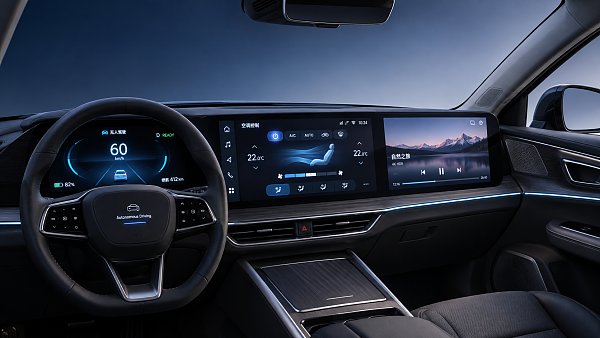
Display architecture should be settled early. Determine whether the selected unit drives only its own display or also supports a digital instrument cluster, passenger display, head-up display, or rear-seat screens. Multi-display designs raise questions about graphics performance, video bandwidth, synchronization, display routing, resolution scaling, and what content may legally or safely be shown in the driver’s field of view.
Assess computing performance against simultaneous workloads
Processor selection should be based on sustained workloads, not a single benchmark or CPU-core count. An automotive head unit may need to run navigation, media decoding, Bluetooth calls, wireless Apple CarPlay or Android Auto, voice processing, vehicle data services, map rendering, and camera display at the same time. The relevant issue is whether the system remains responsive when these functions overlap.
Ask for evidence of performance under representative operating conditions: cold startup, high cabin temperature, low battery voltage, wireless projection active, navigation running, multiple Bluetooth devices paired, and camera view engaged. Memory capacity, graphics processing, storage endurance, thermal design, and operating-system optimization all influence perceived performance.
Boot behavior is especially important when the screen is used for reversing cameras, vehicle warnings, or climate controls. Suppliers may distinguish between a true cold boot, a fast resume from sleep, and a partial wake-up mode. These conditions should not be treated as equivalent. The vehicle’s power-management policy determines which behavior is available in daily use.
Storage also requires closer examination than headline capacity. Map data, logs, downloaded content, system updates, and diagnostic files can consume space over time. Specify reserved capacity, write endurance, partition strategy, log retention, recovery storage, and whether the unit can complete an update safely when storage is nearly full.
Do not treat operating system selection as a cosmetic choice
An operating system determines the development ecosystem, security maintenance model, application policy, licensing obligations, update mechanisms, and user-experience flexibility. It should be selected according to the product’s intended lifecycle and connectivity model.
Android Automotive OS, Automotive Grade Linux, QNX-based systems, and proprietary platforms have different commercial and technical implications. Android Automotive OS should not be confused with Android Auto: the former is an embedded vehicle operating system, while the latter projects a phone-based interface to the vehicle display. Apple CarPlay operates through a different ecosystem and has its own implementation and certification requirements.
A platform that supports a desired consumer interface may still be unsuitable if its update responsibilities are unclear. Confirm who controls the operating-system image, middleware, application layer, security patches, certificates, maps, and cloud dependencies. A software bill of materials (SBOM) and a documented vulnerability-management process are increasingly important procurement requirements because infotainment systems contain complex open-source and third-party software components.
For branded vehicle programs, the user-interface framework also matters. A supplier may offer a standard launcher and media application, but customization can create a continuing validation burden. Clarify whether the quoted software is production-ready, configurable, or effectively a development starting point. The distinction has direct consequences for launch timing and engineering cost.
Evaluate connectivity by region and by lifecycle
Wireless functions need market-specific scrutiny. Bluetooth, Wi-Fi, cellular modules, GNSS receivers, NFC, digital radio, satellite radio, and broadcast tuners are not universally interchangeable. Frequency bands, emergency-call arrangements, radio approval requirements, broadcasting standards, map coverage, and connected-service availability vary by destination market.
A cellular head unit should be reviewed beyond its stated 4G or 5G capability. Check supported bands, carrier certification needs, eSIM or physical-SIM strategy, antenna requirements, roaming arrangements, network sunset exposure, and the method for remote provisioning. A module appropriate for one export market may not be usable in another without changes to hardware, certification, or service agreements.
Wireless phone projection should be tested in a realistic RF environment. Interoperability can be affected by phone models, operating-system updates, Wi-Fi coexistence, Bluetooth pairing history, USB cable quality for wired use, and vehicle antenna placement. A feature badge alone does not establish stable user performance.
Navigation requires similar discipline. Determine whether maps are stored locally, streamed from a cloud service, supplied through a phone, or delivered through a hybrid model. Offline route guidance, map-update entitlement, localization, language support, traffic-data dependency, and GNSS performance in dense urban areas all affect the final product experience.
Screen, audio, and camera specifications need application-level criteria
Screen size and resolution are visible but incomplete indicators. Brightness, contrast, anti-glare treatment, optical bonding, viewing angle, touch performance with gloves or moisture, response time, color stability, and thermal behavior in direct sunlight affect whether the display remains usable in a vehicle. For larger integrated displays, consider how the panel performs across the specified temperature and humidity range and whether replacement availability matches the vehicle service plan.
Audio quality should be assessed as a system. Speaker impedance, external amplifier interfaces, digital audio buses, microphone placement, echo cancellation, active noise conditions, warning chimes, and call quality all matter. A head unit may provide acceptable media playback but poor hands-free performance if acoustic tuning and microphone processing are not validated for the cabin.
Camera selection requires measurable acceptance criteria. These should include image quality in low light and high dynamic range scenes, end-to-end latency, frame stability, parking-line accuracy, camera switching logic, image distortion correction, and behavior after a network interruption. If the screen is used for reversing, latency and availability are more important than entertainment-oriented graphics features.
Safety, cybersecurity, and compliance cannot be delegated vaguely
Not every head-unit function is safety-related, but a unit may interact with systems that are. The applicable functional-safety scope should be determined through vehicle-level hazard analysis rather than assumed from the product category. ISO 26262 may be relevant where the unit contributes to safety-related functions or presents safety-relevant information. The required development evidence depends on the assigned safety responsibilities and system architecture.
Cybersecurity is a separate but connected concern. Connected head units expose wireless interfaces, USB ports, application ecosystems, diagnostic pathways, and vehicle networks. ISO/SAE 21434 provides a framework for automotive cybersecurity engineering. In markets applying UNECE cybersecurity and software-update type-approval requirements, UNECE R155 and R156 place obligations at the vehicle type-approval and management-system level. A component supplier’s statement of compliance is therefore not enough; the vehicle manufacturer must be able to integrate the supplier’s evidence into its own cybersecurity and software-update processes.
Ask how the unit handles secure boot, key storage, signed firmware, debug-port control, network segmentation, intrusion logging, vulnerability disclosure, and recovery from failed updates. Over-the-air update capability is valuable only when rollback, power-loss handling, staged deployment, version tracking, and post-update verification are defined.
Electromagnetic compatibility must also be addressed under the rules applicable to the destination vehicle market. UNECE Regulation No. 10 is relevant in type-approval contexts that use it, while other markets may apply different approval routes. Radio-equipped products can require separate radio approvals. The compliance plan should name the target markets, applicable vehicle rules, test responsibilities, documentation owner, and required marking or approval evidence.
Review supplier readiness as carefully as the hardware
Head-unit supply is a long-term software and electronics commitment. A technically capable prototype does not demonstrate production readiness. Evaluate manufacturing traceability, component sourcing, end-of-life management, change-notification procedures, quality systems, test coverage, repair strategy, and the supplier’s ability to preserve configuration control across vehicle variants.
Semiconductor substitutions are a particular concern. A change in memory, display controller, wireless module, power-management IC, or processor stepping can affect software behavior, EMC results, thermal performance, and radio certification. Procurement documents should define which changes require notification, revalidation, customer approval, or a new part number.
Commercial comparisons should separate non-recurring engineering costs, software customization, tooling, certification support, test fixtures, per-unit hardware cost, licensing, map or connectivity fees, and post-launch maintenance. A low initial quote can omit years of security patching, operating-system maintenance, application support, or regional certification work. These are not optional extras when the head unit is connected and remains in service over a multi-year vehicle lifecycle.
A selection decision should end with verifiable acceptance conditions
The final decision should be based on requirements that can be inspected, tested, and maintained. “Supports camera,” “Android compatible,” “CAN capable,” or “OTA ready” are not sufficient acceptance criteria. Define the camera latency limit, boot-state behavior, required CAN messages, supported phone-projection versions, display brightness conditions, operating temperature range, network-security controls, update recovery process, and documentation deliverables.
The strongest head-unit choice is rarely the one with the most advertised functions. It is the unit whose architecture, interfaces, software ownership, compliance evidence, and support commitments match the actual vehicle program. That alignment reduces late integration changes, protects the user experience, and makes the product more defensible across markets and throughout its service life.
Have questions about this sector analysis, or seeking best practices specific to your niche? Drop us a line below and let the senior consultants at GAC assist you.
“We respect your privacy. Your information is strictly confidential.”
Related News
- 00
0000-00
How to compare noise ratings for battery coolant pumps - 00
0000-00
How bright should automotive display systems be in sunlight? - 00
0000-00
How heat pumps improve the efficiency of EV thermal systems - 00
0000-00
Can a smart cockpit platform support multiple displays? - 00
0000-00
How is automotive connector vibration resistance tested?
Weekly Insights
Stay ahead with our curated technology reports delivered every Monday.
Recommended News
 How to compare noise ratings for battery coolant pumpsCompare coolant pump low noise ratings with confidence. Learn how test conditions, hydraulic duty, tonal noise and installation affect your choice.Author:Time:Nov 10, 2026
 How bright should automotive display systems be in sunlight?Automotive Display Systems need more than brightness to stay readable in sunlight. Discover why 1,000 nits is a starting point and how to evaluate glare and heat.Author:Time:Nov 09, 2026
 How heat pumps improve the efficiency of EV thermal systemsEV Thermal Systems use heat pumps to reduce heating energy demand. Explore how they work, where they excel, and what limits efficiency in cold weather.Author:Time:Nov 08, 2026
 Can a smart cockpit platform support multiple displays?Can a smart cockpit platform support multiple displays? Explore key requirements for performance, safety, connectivity, and supplier evaluation.Author:Time:Nov 07, 2026
 How is automotive connector vibration resistance tested?Automotive connector vibration resistance testing reveals hidden contact failures. Explore test profiles, continuity monitoring and pass criteria.Author:Time:Nov 06, 2026
 How heat pumps save energy in automotive cabin climate systemsAutomotive Cabin Climate Systems energy saving starts with smarter heat pump design. Explore real-world efficiency, cold-weather trade-offs, and testing tips.Author:Time:Nov 05, 2026
 Is an EV heat pump worth it for winter driving range?Is a heat pump worth using in a cold-climate EV? Discover how it affects winter range, when it pays off, and what to check before buying.Author:Time:Nov 04, 2026
 When should you use 50-ohm coaxial cable instead of 75-ohm?Coaxial cable 50 ohm or 75 ohm? Learn when to use each, avoid impedance mismatches, and choose the right cable for reliable RF and video performance.Author:Time:Nov 03, 2026
 How to select a high temperature motor harness for an EVChoose the right high temperature motor harness for your EV. Compare thermal limits, current capacity, shielding, routing, and validation evidence.Author:Time:Nov 02, 2026
 How much does electric power steering replacement cost?Electric power steering price typically ranges from $1,000 to $3,000 for major replacements. Discover cost factors, repair options, and tips for comparing quotes.Author:Time:Nov 01, 2026
 How to size an EV A/C compressor for the required cooling capacitySize an EV A/C Compressor with confidence. Explore cooling loads, performance maps and power limits to select the right compressor for your vehicle.Author:Time:Oct 31, 2026
 How to choose the right pitch for an FPC board connectorFPC board connector pitch affects space, assembly and reliability. Learn how to compare options and select the best fit for your design.Author:Time:Oct 30, 2026
 How zonal design affects harness routing in high-voltage EV architecturesExplore high-voltage electrical architecture zonal design and its impact on EV harness routing. Discover key trade-offs in cable length, safety, thermal performance, and service access.Author:Time:Oct 29, 2026
 How tariffs affect costs in global automotive parts supply chainsNavigate tariffs in the global automotive parts trade supply chain. Learn to compare landed costs, manage duty exposure, and uncover smarter sourcing strategies to protect your margins.Author:Time:Oct 28, 2026
 How to assess vendor lock-in in a software-defined vehicle platformAssess Software-Defined Vehicle platform lock-in with practical tests for API portability, data access, update control, and exit costs. Learn how to choose a platform with a proven exit path.Author:Time:Oct 27, 2026
 How ISO 26262 guides functional safety in steer-by-wire systemsExplore steering systems functional safety through ISO 26262. Learn how hazard analysis, fault-tolerant design, and validation build a stronger steer-by-wire safety case.Author:Time:Oct 26, 2026
 How to evaluate a steering angle sensor manufacturer's accuracy claimsEvaluate steering angle sensor manufacturer accuracy claims with practical checks on calibration, latency, and test evidence. Compare suppliers confidently and avoid costly selection mistakes.Author:Time:Oct 25, 2026
 How to diagnose CAN bus faults in a hybrid vehicle control unitDiagnose Hybrid Vehicle Systems control unit CAN bus faults with step-by-step power, wiring, and waveform checks. Find the root cause and avoid unnecessary replacement.Author:Time:Oct 24, 2026
 How does battery cooling pipe diameter affect coolant pressure drop?Battery Cooling Pipe diameter affects coolant pressure drop and pump power. Explore sizing calculations and practical tips to optimize EV battery cooling and compare options with confidence.Author:Time:Oct 23, 2026
 How to assess PPAP readiness of automotive sensor system manufacturersAssess Automotive Sensor Systems manufacturers for PPAP readiness. Learn to verify production evidence, measurement capability, validation, and traceability to reduce sourcing risks.Author:Time:Oct 22, 2026
 What to ask an FPC connector manufacturer about reliability testingChoosing an FPC Connector manufacturer? Learn what to ask about reliability testing, failure limits, and traceable results to reduce design risks and select with confidence.Author:Time:Oct 21, 2026
 How to verify vehicle fitment for an aftermarket AC evaporatorNavigating the evaporator aftermarket? Verify vehicle fitment with VIN data, OE numbers, and physical interface checks. Use this guide to avoid costly mismatches and order confidently.Author:Time:Oct 20, 2026
 How electric compressor speed affects EV battery cooling capacityElectric compressor technology: battery cooling depends on more than RPM. Discover how speed, refrigerant flow, and system limits affect EV cooling capacity and energy efficiency.Author:Time:Oct 19, 2026
 How to verify a variable frequency compressor supplier’s efficiency claimsVerify a variable frequency compressor supplier’s efficiency claims using COP boundaries, matched test conditions, and duty-cycle data. Learn how to choose with confidence.Author:Time:Oct 18, 2026
 How bend radius affects FPC reliability in automotive camera modulesAutomotive FPC applications: camera module reliability starts with bend radius. Learn how stack-up, strain, and validation guide robust designs and help prevent costly failures.Author:Time:Oct 17, 2026
 How to diagnose intermittent loss of electric power steering assistMaster power steering system diagnostics to trace intermittent EPS assist loss. Learn proven checks for voltage, wiring, and fault codes to avoid costly guesswork.Author:Time:Oct 16, 2026
 How to size automotive power modules for electric compressorsSize automotive power modules for electric compressors with confidence. Learn how voltage, phase current, losses, and cooling shape reliable selection—and avoid costly oversizing.Author:Time:Oct 15, 2026
 Why automotive power electronics are shifting to silicon carbideAutomotive Power Electronics are shifting to silicon carbide. Discover how SiC can cut losses, boost EV power density, and reshape cooling, reliability, and system costs.Author:Time:Oct 14, 2026
 How EV adoption shapes the electrically driven compressor marketExplore how EV adoption shapes the electrically driven compressor market, from battery cooling and heat pumps to supplier margins. Discover the drivers of profitable growth.Author:Time:Oct 13, 2026
 How to size a PTC heater for reliable EV cabin heatingPTC Heater sizing for EV cabins: learn how to balance defrost performance, heat-pump integration, airflow, voltage range, and battery power for reliable winter comfort.Author:Time:Oct 12, 2026