In-Vehicle Infotainment Trends 2026: What Actually Improves UX




In-vehicle infotainment is no longer judged by screen size alone. For most drivers, the real question in 2026 is simple: does the system make driving easier, faster, safer, and less frustrating every day?
The most meaningful in-vehicle infotainment trends are the ones that reduce menu hunting, improve voice accuracy, speed up startup times, and connect smoothly with phones, navigation, and driver assistance features.
Consumers are also becoming more selective. They do not just want impressive demos in a showroom. They want systems that stay responsive in traffic, remember preferences, and avoid turning basic tasks into distractions.
This article focuses on what actually improves user experience, which trends are mostly hype, and how buyers can judge an IVI system before choosing their next vehicle.
What drivers actually want from in-vehicle infotainment in 2026
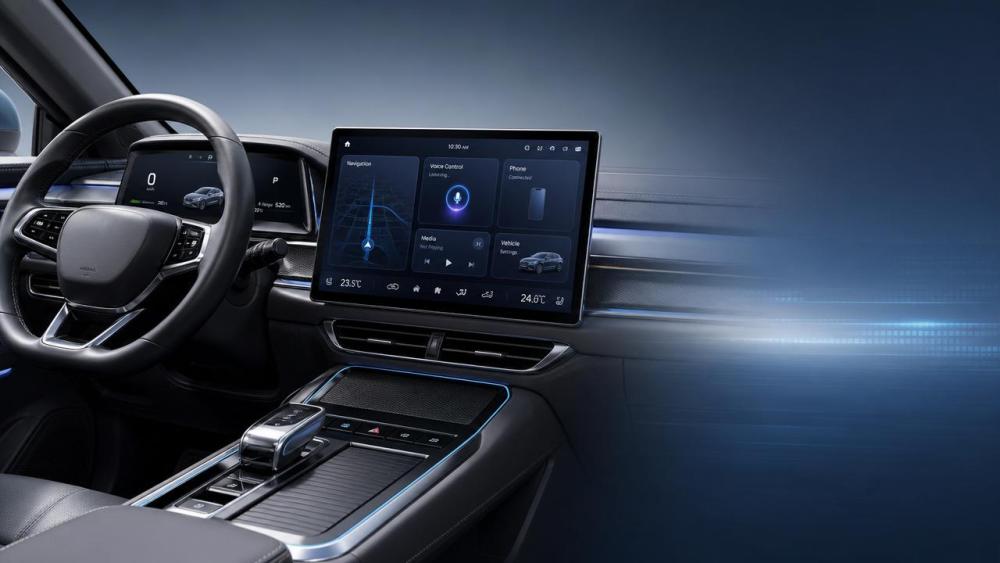
If someone searches for in-vehicle infotainment trends, their core intent is usually practical, not technical. They want to know which features genuinely improve daily driving and which are just marketing language.
For end consumers, the biggest concerns are easy control, safety, reliability, smartphone compatibility, navigation quality, and whether the system will still feel modern after a few years of ownership.
That means the most useful way to evaluate 2026 trends is through real experience: how quickly a route starts, how easily music changes, how often voice commands fail, and how many taps common actions require.
In other words, a good infotainment system should fade into the background. It should help the driver and passengers do what they want with less effort, not demand constant attention.
Faster systems matter more than larger screens
For several years, automakers promoted bigger and bigger displays as proof of innovation. But a huge screen with laggy software often creates a worse experience than a smaller screen with fast, clean interaction.
In 2026, one of the most important IVI improvements is overall speed. That includes boot time, touch response, app loading, map rendering, and how quickly the system switches between navigation, media, and vehicle settings.
Drivers notice delay immediately. If the screen freezes when reversing, opening climate controls, or accepting a call, the system feels stressful rather than premium. Responsiveness is now a core quality signal.
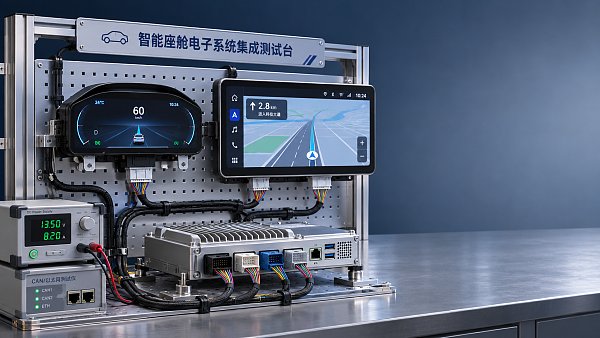
This is especially important because modern infotainment platforms handle more tasks than before. They are no longer separate entertainment units. They increasingly connect to cameras, energy data, cabin controls, and digital services.
For consumers, the takeaway is clear: test smoothness before admiring visual effects. A system that reacts instantly will improve daily comfort far more than one with flashy animations and oversized display panels.
Smarter voice control is becoming a real usability feature
Voice assistants in cars used to be one of the most disappointing features in the cabin. Many systems were too slow, too rigid, or too inaccurate to be useful during real driving.
That is changing. Better natural language processing, cloud-supported updates, and more capable onboard computing are making voice control a more dependable part of the in-vehicle infotainment experience.
The key improvement is not that the assistant can answer trivia. The real benefit is letting drivers perform common tasks without looking away from the road. That includes navigation input, calling contacts, changing media, and adjusting cabin settings.
Good voice control should understand intent rather than require memorized commands. Saying “I’m cold” should be enough to raise the temperature. Saying “take me to the nearest fast charger” should launch a relevant route quickly.
Consumers should also pay attention to consistency. Some systems perform well in demonstrations but struggle with accents, road noise, or mixed commands. The best systems work naturally in ordinary situations, not ideal ones.
As voice becomes more capable, it can reduce dependence on deep touchscreen menus. That directly improves safety and lowers frustration, especially in vehicles where many physical buttons have been removed.
Seamless phone integration still beats many built-in apps
Even as automakers invest heavily in proprietary software, many drivers still prefer the familiar experience of their phones. That is why seamless integration remains one of the most valuable infotainment trends for 2026.
Apple CarPlay and Android Auto continue to matter because they reduce learning time. Users already know their music apps, maps, messages, and voice assistants. Familiarity lowers cognitive load and speeds up interaction.
Wireless connectivity is now especially important. A system that automatically reconnects without delays or failed pairing attempts feels far more polished in everyday use than one that requires repeated manual steps.
At the same time, built-in systems still have an advantage in some areas, including battery-aware route planning for EVs, deeper vehicle settings, and integration with parking, cameras, and driver assistance information.
The best user experience is not phone versus car. It is smart blending. Consumers benefit most when the vehicle supports phone ecosystems smoothly while keeping vehicle-specific data accessible in the native interface.
When evaluating a new car, buyers should test whether phone integration launches quickly, maintains stable audio, preserves steering wheel controls, and handles calls and maps without glitches.
Personalization is useful when it saves time, not when it adds complexity
Another major 2026 trend is personalization. Infotainment systems increasingly remember seat positions, media preferences, frequent destinations, display layouts, and climate settings for different users.
This can be genuinely helpful, especially in households where multiple people share one car. A good profile system reduces repetitive setup and makes the vehicle feel immediately familiar to each driver.
Personalization also improves relevance. A home screen that places common actions first, suggests regular destinations at the right time, and surfaces useful shortcuts can reduce menu searching considerably.
However, personalization only improves UX when it remains simple and predictable. If drivers need to manage too many settings, accounts, and permissions, the feature becomes another source of friction.
Consumers should look for systems that offer practical customization, such as rearranging widgets, saving quick controls, and creating user profiles, without forcing a complicated onboarding process.
The best infotainment design recognizes a basic truth: convenience comes from reducing effort. Personalization should help the car adapt to the user, not force the user to constantly configure the car.
Navigation quality now depends on context, not just map graphics
In the past, many buyers judged navigation systems by map appearance alone. In 2026, the more important issue is context awareness: does the system provide the right information at the right moment?
Better infotainment platforms now combine traffic, charging availability, road conditions, lane guidance, weather, and trip history to support more useful route decisions, especially in electric vehicles.
For EV owners, this matters even more. A modern system should not only show chargers. It should estimate energy use realistically, account for elevation and temperature, and suggest stops that fit the vehicle’s charging curve.
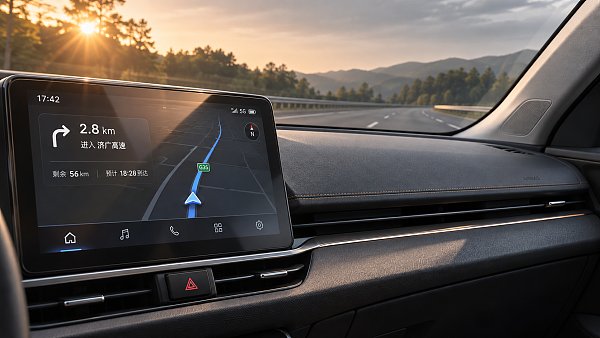
For all drivers, clear guidance matters more than visual drama. Well-timed voice prompts, simple lane instructions, and legible turn information reduce stress much more effectively than overloaded map screens.
Many systems also now integrate with head-up displays or digital clusters, placing critical navigation cues closer to the driver’s line of sight. That can improve safety by reducing repeated glances toward the center screen.
So when assessing an infotainment system, buyers should ask: does navigation help me decide faster and drive with less mental effort? That is the real measure of quality.
Better integration with vehicle controls can improve safety and comfort
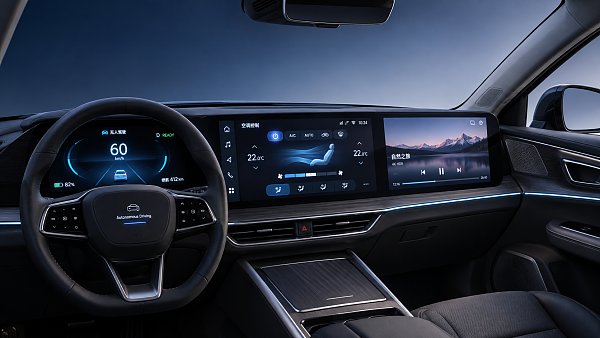
One major reason in-vehicle infotainment has become so important is that it increasingly acts as the control center for the broader cabin experience, not just media and navigation.
Climate functions, seat comfort, ambient lighting, charging settings, drive modes, camera views, and vehicle status are often managed through the same software environment. This integration can be useful or frustrating.
It improves UX when common functions are easy to access and visually clear. Drivers should not need several taps to adjust cabin temperature, activate defogging, or change a charging schedule.
It becomes a problem when basic controls are hidden behind nested menus. This is especially risky when automakers remove too many physical buttons in the name of minimalism.
The best systems use a balanced design. Frequently used controls stay easy to reach, while more advanced settings remain available without cluttering the screen. Shortcuts, voice commands, and steering wheel inputs also help.
From a consumer perspective, this trend matters because a well-integrated infotainment system can make the whole car feel smarter and calmer. A poorly integrated one makes the entire vehicle feel harder to live with.
Software updates are becoming part of ownership experience
In 2026, consumers increasingly expect their car’s infotainment system to improve over time, much like a smartphone. That is why over-the-air software updates are now an important part of user experience.
Useful updates can fix bugs, improve responsiveness, add app support, refine voice control, and enhance route planning. They can also extend the life of the vehicle’s digital experience beyond the day of purchase.
But buyers should stay realistic. Not every automaker delivers meaningful updates consistently. Some mainly issue maintenance patches, while others actively improve interface design and add features based on customer feedback.
Consumers should therefore consider software reputation before buying. A beautiful infotainment system at launch may age quickly if updates are slow, unstable, or too limited.
Update transparency also matters. Owners want to know what changed, how long installation takes, and whether the process is reliable. Good update design builds trust instead of making users fear system disruption.
For long-term satisfaction, support quality is nearly as important as launch quality. In the software-defined vehicle era, ownership experience does not end at delivery.
What is still mostly hype in infotainment
Not every trend marketed as innovation truly improves user experience. Some features are eye-catching but have limited value once the novelty wears off.
One example is excessive screen expansion without better interaction logic. More display area does not help if icons are small, menus are confusing, or the driver must reach too far during motion.
Another example is overloaded entertainment ecosystems. Drivers do not necessarily need dozens of built-in apps if core functions like media, calls, and maps are already handled better through their phones.
Gesture control is another mixed area. It can look futuristic, but many implementations are still less reliable than touch, voice, or physical inputs. If a feature feels awkward, it will not be used often.
Highly animated interfaces can also create a false sense of sophistication. Smooth graphics are nice, but they should never come at the cost of speed, readability, or focus.
The simplest rule for consumers is this: if a feature adds visual excitement but not less effort, less distraction, or more clarity, it is probably not a meaningful UX improvement.
How buyers can judge an infotainment system before purchasing
Because infotainment quality affects daily satisfaction so strongly, buyers should test it carefully during a showroom visit or test drive rather than relying only on specifications.
Start with startup speed. See how long the system takes to become usable. Then test touch response, menu clarity, navigation search, and how quickly voice commands complete common tasks.
Next, connect a phone wirelessly if possible. Check whether pairing is smooth, whether music resumes automatically, and whether CarPlay or Android Auto opens without repeated prompts.
Try essential controls, including climate, defogging, camera activation, and favorite destinations. If these take too many steps while parked, they will feel worse on the road.
Also pay attention to screen glare, font readability, and how well information is organized while driving. A premium-looking display can still be tiring if it is hard to interpret quickly.
Finally, ask about software updates and long-term support. The best infotainment system is not only attractive on day one. It remains stable, useful, and current over the years you own the car.
The bottom line on in-vehicle infotainment trends in 2026
The most important in-vehicle infotainment trends for 2026 are not the loudest ones. They are the improvements that make the car easier to use every single day.
For consumers, the real winners are faster systems, dependable voice control, strong phone integration, helpful personalization, context-aware navigation, and clear access to essential vehicle functions.
These features matter because they reduce distraction and save time. They also make the vehicle feel more intuitive, which is ultimately what good user experience should deliver.
By contrast, bigger screens, more animations, and novelty features only add value when they support simpler interaction. If they create friction, they work against the purpose of smart cabin technology.
As vehicles become more digital, infotainment will shape comfort and satisfaction as much as traditional hardware does. Buyers who focus on usability over hype will make better decisions.
In 2026, the best infotainment system is not the one that shows off the most. It is the one that helps drivers do more with less effort, less confusion, and fewer distractions.
Have questions about this sector analysis, or seeking best practices specific to your niche? Drop us a line below and let the senior consultants at GAC assist you.
“We respect your privacy. Your information is strictly confidential.”
Related News
- 00
0000-00
How to assess a smart cockpit electronics manufacturer's integration capability - 00
0000-00
How does a shielded HSD cable reduce interference in vehicles? - 00
0000-00
What drives demand for scroll compressors in the automotive market? - 00
0000-00
Does AEC-Q200 apply to flexible printed circuits? - 00
0000-00
How does production volume affect automotive flexible electronics costs?
Weekly Insights
Stay ahead with our curated technology reports delivered every Monday.
Recommended News
 How to assess a smart cockpit electronics manufacturer's integration capabilityAssess a smart cockpit electronics manufacturer's integration capability with practical checks for interfaces, testing, safety, cybersecurity and supplier support.Author:Time:Nov 18, 2026
 How does a shielded HSD cable reduce interference in vehicles?Discover how a shielded HSD cable reduces vehicle interference, and learn why connector design, routing, and testing matter for reliable high-speed data links.Author:Time:Nov 17, 2026
 What drives demand for scroll compressors in the automotive market?Explore the scroll compressor for automobile market and discover how EV adoption, heat pumps, efficiency, and supplier capabilities shape demand.Author:Time:Nov 16, 2026
 Does AEC-Q200 apply to flexible printed circuits?Flexible Printed Circuit AEC-Q200 requirements explained: discover which components qualify and how to assess automotive FPC reliability.Author:Time:Nov 15, 2026
 How does production volume affect automotive flexible electronics costs?Explore how production volume affects automotive flexible electronics cost, from tooling and yield to testing. Compare quotes and negotiate smarter.Author:Time:Nov 14, 2026
 How much does an in-vehicle infotainment system cost to replace?Explore in-vehicle infotainment cost, from affordable repairs to factory replacements. Compare options, installation fees, and compatibility before you buy.Author:Time:Nov 13, 2026
 How does condenser efficiency affect heat pump performance?Discover how condenser high efficiency can improve heat pump performance, reduce compressor power, and boost heating COP—plus the trade-offs to watch.Author:Time:Nov 12, 2026
 What does each FAKRA cable color code mean?FAKRA cable color code explained: Explore common connector colors, typical uses and key compatibility checks before choosing a replacement.Author:Time:Nov 11, 2026
 How to compare noise ratings for battery coolant pumpsCompare coolant pump low noise ratings with confidence. Learn how test conditions, hydraulic duty, tonal noise and installation affect your choice.Author:Time:Nov 10, 2026
 How bright should automotive display systems be in sunlight?Automotive Display Systems need more than brightness to stay readable in sunlight. Discover why 1,000 nits is a starting point and how to evaluate glare and heat.Author:Time:Nov 09, 2026
 How heat pumps improve the efficiency of EV thermal systemsEV Thermal Systems use heat pumps to reduce heating energy demand. Explore how they work, where they excel, and what limits efficiency in cold weather.Author:Time:Nov 08, 2026
 Can a smart cockpit platform support multiple displays?Can a smart cockpit platform support multiple displays? Explore key requirements for performance, safety, connectivity, and supplier evaluation.Author:Time:Nov 07, 2026
 How is automotive connector vibration resistance tested?Automotive connector vibration resistance testing reveals hidden contact failures. Explore test profiles, continuity monitoring and pass criteria.Author:Time:Nov 06, 2026
 How heat pumps save energy in automotive cabin climate systemsAutomotive Cabin Climate Systems energy saving starts with smarter heat pump design. Explore real-world efficiency, cold-weather trade-offs, and testing tips.Author:Time:Nov 05, 2026
 Is an EV heat pump worth it for winter driving range?Is a heat pump worth using in a cold-climate EV? Discover how it affects winter range, when it pays off, and what to check before buying.Author:Time:Nov 04, 2026
 When should you use 50-ohm coaxial cable instead of 75-ohm?Coaxial cable 50 ohm or 75 ohm? Learn when to use each, avoid impedance mismatches, and choose the right cable for reliable RF and video performance.Author:Time:Nov 03, 2026
 How to select a high temperature motor harness for an EVChoose the right high temperature motor harness for your EV. Compare thermal limits, current capacity, shielding, routing, and validation evidence.Author:Time:Nov 02, 2026
 How much does electric power steering replacement cost?Electric power steering price typically ranges from $1,000 to $3,000 for major replacements. Discover cost factors, repair options, and tips for comparing quotes.Author:Time:Nov 01, 2026
 How to size an EV A/C compressor for the required cooling capacitySize an EV A/C Compressor with confidence. Explore cooling loads, performance maps and power limits to select the right compressor for your vehicle.Author:Time:Oct 31, 2026
 How to choose the right pitch for an FPC board connectorFPC board connector pitch affects space, assembly and reliability. Learn how to compare options and select the best fit for your design.Author:Time:Oct 30, 2026
 How zonal design affects harness routing in high-voltage EV architecturesExplore high-voltage electrical architecture zonal design and its impact on EV harness routing. Discover key trade-offs in cable length, safety, thermal performance, and service access.Author:Time:Oct 29, 2026
 How tariffs affect costs in global automotive parts supply chainsNavigate tariffs in the global automotive parts trade supply chain. Learn to compare landed costs, manage duty exposure, and uncover smarter sourcing strategies to protect your margins.Author:Time:Oct 28, 2026
 How to assess vendor lock-in in a software-defined vehicle platformAssess Software-Defined Vehicle platform lock-in with practical tests for API portability, data access, update control, and exit costs. Learn how to choose a platform with a proven exit path.Author:Time:Oct 27, 2026
 How ISO 26262 guides functional safety in steer-by-wire systemsExplore steering systems functional safety through ISO 26262. Learn how hazard analysis, fault-tolerant design, and validation build a stronger steer-by-wire safety case.Author:Time:Oct 26, 2026
 How to evaluate a steering angle sensor manufacturer's accuracy claimsEvaluate steering angle sensor manufacturer accuracy claims with practical checks on calibration, latency, and test evidence. Compare suppliers confidently and avoid costly selection mistakes.Author:Time:Oct 25, 2026
 How to diagnose CAN bus faults in a hybrid vehicle control unitDiagnose Hybrid Vehicle Systems control unit CAN bus faults with step-by-step power, wiring, and waveform checks. Find the root cause and avoid unnecessary replacement.Author:Time:Oct 24, 2026
 How does battery cooling pipe diameter affect coolant pressure drop?Battery Cooling Pipe diameter affects coolant pressure drop and pump power. Explore sizing calculations and practical tips to optimize EV battery cooling and compare options with confidence.Author:Time:Oct 23, 2026
 How to assess PPAP readiness of automotive sensor system manufacturersAssess Automotive Sensor Systems manufacturers for PPAP readiness. Learn to verify production evidence, measurement capability, validation, and traceability to reduce sourcing risks.Author:Time:Oct 22, 2026
 What to ask an FPC connector manufacturer about reliability testingChoosing an FPC Connector manufacturer? Learn what to ask about reliability testing, failure limits, and traceable results to reduce design risks and select with confidence.Author:Time:Oct 21, 2026
 How to verify vehicle fitment for an aftermarket AC evaporatorNavigating the evaporator aftermarket? Verify vehicle fitment with VIN data, OE numbers, and physical interface checks. Use this guide to avoid costly mismatches and order confidently.Author:Time:Oct 20, 2026