AR-HUD Design Priorities That Improve Driver Focus




AR-HUD design can either sharpen attention or add distraction at the worst moment. For drivers and vehicle operators, the right priorities—clear visual hierarchy, stable image placement, low cognitive load, and seamless integration with cabin systems—directly affect focus, comfort, and response time. This article explores the AR-HUD design principles that help keep critical information intuitive, visible, and truly supportive on the road.
A checklist-based approach is the most practical way to evaluate AR-HUD performance because operators do not experience the system as a lab concept. They experience it in traffic, in glare, in rain, during turns, and while processing many signals at once. That means the best AR-HUD is not the one with the most visual effects. It is the one that helps the driver notice the right information at the right time without creating extra mental effort. For automotive users, fleet operators, and smart cockpit decision-makers, the key is to judge AR-HUD design through clear priorities rather than feature count.
Start Here: Why AR-HUD Design Priorities Matter Before Feature Lists
AR-HUD sits at the intersection of in-vehicle infotainment, driver assistance, optical engineering, and human-machine interaction. In a modern cockpit, it can support navigation cues, speed awareness, lane guidance, hazard indication, and ADAS status. However, if AR-HUD elements are visually unstable, poorly timed, or overloaded, the display can compete with the road scene instead of supporting it.
This is especially important in the broader automotive electronics landscape observed by intelligence platforms such as GACT, where smart cabin electronics increasingly connect with vehicle control layers, steering systems, sensor fusion, and thermal management constraints. AR-HUD is no longer a decorative screen projection. It is becoming a practical interface within a larger vehicle intelligence ecosystem. For the user, that means design quality must be judged by focus improvement, not visual novelty.
Core AR-HUD Checklist: What Drivers and Operators Should Confirm First
If you need a fast way to assess whether an AR-HUD supports driver focus, start with these priority checks. Each item should be examined in real driving conditions, not only in showroom lighting.
- Visual hierarchy is obvious: Critical warnings, speed, and immediate navigation cues must stand out more clearly than secondary information. The eye should know where to look without hesitation.
- Image placement feels stable: AR-HUD graphics should remain visually anchored and not appear to float unpredictably during acceleration, braking, or road vibration.
- Brightness adapts correctly: The display must remain visible in direct sunlight, tunnels, night driving, and rainy conditions without causing glare or visual fatigue.
- Content load stays limited: Too many icons, colors, or movement effects increase cognitive load. Good AR-HUD design prioritizes restraint.
- Timing is context-aware: Alerts and cues should appear early enough to be useful, but not so early that they become background clutter.
- Alignment with the road scene is believable: Navigation arrows, lane overlays, and hazard markers should correspond closely with what the driver sees outside.
- Driver eye movement is reduced, not increased: The purpose of AR-HUD is to minimize glances away from the road. If users still need to cross-check the center display often, the value is weakened.
- System integration is seamless: AR-HUD should work smoothly with ADAS, IVI, map data, cameras, and vehicle status systems.
Use These Judgment Standards to Evaluate AR-HUD Quality
A useful AR-HUD should be easy to judge through operational standards. The following table helps turn subjective impressions into structured evaluation points.
The Four AR-HUD Priorities That Most Directly Improve Driver Focus
1. Clear visual hierarchy
The first AR-HUD priority is deciding what deserves attention first. Speed, collision warnings, lane departure indicators, and immediate turn guidance should have the highest visual weight. Secondary items such as media details or non-urgent notifications should either be minimized or removed during active driving. If every element looks equally important, the display fails the driver at the exact moment prioritization matters.
2. Stable image placement and low latency
A good AR-HUD must feel anchored. Even slight lag between vehicle motion and projected content can make overlays feel disconnected from reality. This becomes more obvious on uneven roads, while changing lanes, or when steering inputs are quick. Stable placement improves trust, and trust is essential if the operator is expected to rely on the display for directional or hazard cues.
3. Low cognitive load
AR-HUD should reduce mental work, not add to it. That means icon logic must be intuitive, symbols should be consistent with broader dashboard language, and animation should be used sparingly. A driver should not need to interpret layered graphics while also scanning mirrors, checking road users, and managing speed. Simplicity is not a limitation here; it is a safety feature.
4. Seamless integration with cockpit and vehicle systems
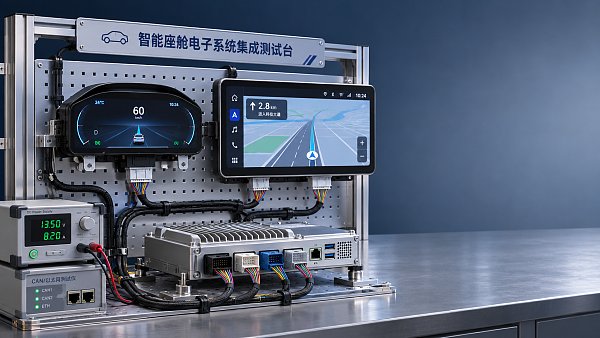
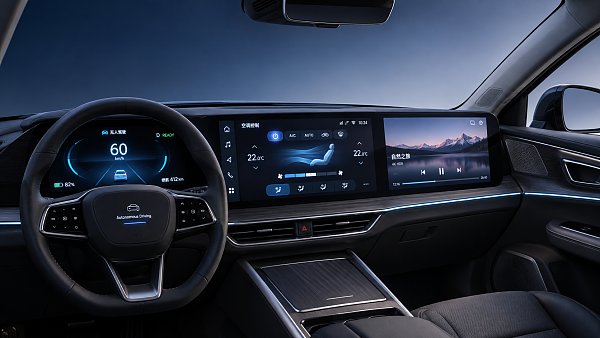
An AR-HUD does not work alone. Its value depends on data quality from maps, cameras, ADAS sensors, steering inputs, and cabin electronics. In advanced platforms, it should also align with the instrument cluster and center display so the driver sees one coherent interface, not three competing ones. For smart cabin developers and operators, this integration layer often matters more than display size.
Checklist by Driving Scenario: What to Watch in Real Use
AR-HUD behavior should be tested by scenario because performance changes with operating conditions. A system that looks excellent in ideal daylight may become distracting at night or weak in bad weather.
- Urban traffic: Confirm that pedestrian alerts, lane guidance, and close-range turns remain readable without crowding the view. In cities, too much AR layering can become visually noisy very quickly.
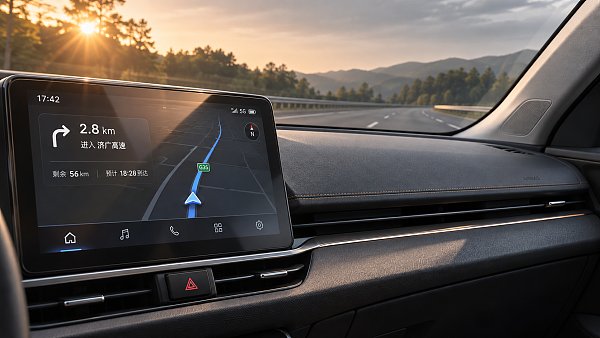
- Highway driving: Check whether the AR-HUD supports long-distance directional guidance, speed awareness, and ADAS status with minimal visual interruption. Highway use rewards stable and calm display behavior.
- Night driving: Verify that brightness drops appropriately and that contrast remains clear without glare. Poor tuning at night can create fatigue even if daytime performance is strong.
- Rain, fog, or low visibility: Make sure core cues stay distinct when the outside scene is visually degraded. In these cases, AR-HUD can be especially valuable, but only if clutter is tightly controlled.
- Complex junctions and roundabouts: Evaluate whether navigation overlays actually simplify decisions. Misplaced arrows or late prompts are especially harmful in these environments.
Commonly Overlooked AR-HUD Issues That Can Hurt Focus
Many teams and buyers focus heavily on field of view, screen size, or graphic sophistication, but several less obvious factors often decide whether the AR-HUD truly helps the operator.
- Inconsistent icon language: If HUD symbols differ too much from cluster or IVI symbols, users need extra interpretation time.
- Seat-position sensitivity: AR alignment can degrade for drivers of different heights or seating postures if calibration is weak.
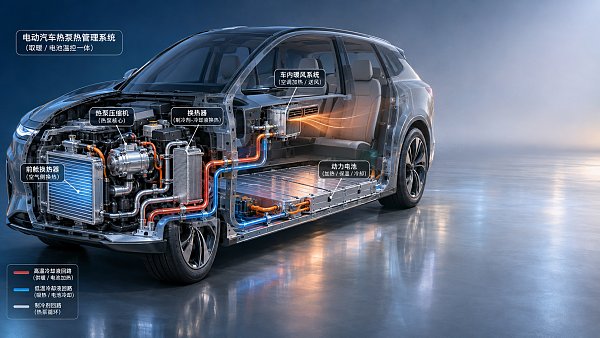
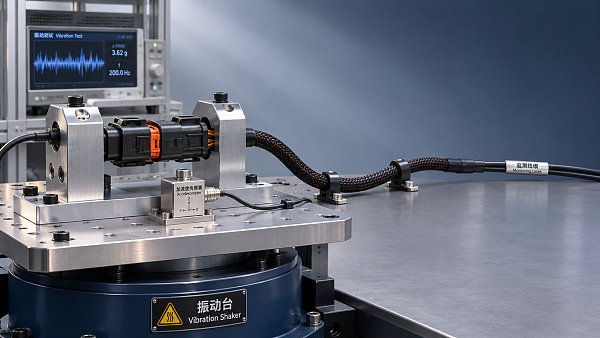
- Thermal and environmental stability: In automotive electronics, heat, vibration, and sunlight exposure affect long-term performance. Optical quality must be durable, not just impressive on day one.
- Notification competition: When center display alerts, voice prompts, and AR-HUD cues trigger together, the driver may receive too many simultaneous signals.
- Over-designed animation: Motion effects can attract the eye too strongly and pull attention away from real hazards.
Practical Execution Advice for Teams Improving AR-HUD Design
If your organization is refining AR-HUD capability, start with operational evidence rather than assumptions. Observe how real users react in routine and stressful driving situations. Track where they hesitate, where they ignore cues, and when they look away from the road or back to the center display. Those moments often reveal design priorities more clearly than internal preference debates.
Next, align AR-HUD development with the broader smart cockpit architecture. For companies working across IVI, steering, wiring, sensor systems, and NEV thermal management, as highlighted in GACT’s industry focus, the most resilient solutions come from system-level coordination. Optical hardware, software logic, cabin electronics, and vehicle data pipelines must be considered together. An advanced AR-HUD cannot remain effective if latency, sensor confidence, or power-thermal performance is unstable elsewhere in the vehicle.
Finally, keep tuning priorities simple: reduce non-essential content, improve cue timing, validate image stability, and test in diverse environmental conditions. In most cases, these steps improve driver focus more than adding new layers of visual complexity.
What to Prepare Before Comparing AR-HUD Solutions or Partners
Before selecting an AR-HUD direction, it helps to prepare a short decision checklist. Clarify the target vehicle segment, expected ADAS level, typical driving environments, interface philosophy, integration needs with IVI and cluster, calibration expectations for different drivers, and reliability targets under thermal and vibration stress. These points make technical discussions far more productive and reduce the risk of choosing a system that looks advanced but performs inconsistently in real use.
If you need to evaluate AR-HUD more deeply, the next best step is to discuss parameters that directly affect focus: optical clarity, field usability, alignment accuracy, latency, software update logic, cabin integration, validation scenarios, development cycle, and cost-impact tradeoffs. Those questions will reveal whether a solution is optimized for actual driver support or mainly for showroom appeal.
Have questions about this sector analysis, or seeking best practices specific to your niche? Drop us a line below and let the senior consultants at GAC assist you.
“We respect your privacy. Your information is strictly confidential.”
Related News
- 00
0000-00
How to assess a smart cockpit electronics manufacturer's integration capability - 00
0000-00
How does a shielded HSD cable reduce interference in vehicles? - 00
0000-00
What drives demand for scroll compressors in the automotive market? - 00
0000-00
Does AEC-Q200 apply to flexible printed circuits? - 00
0000-00
How does production volume affect automotive flexible electronics costs?
Weekly Insights
Stay ahead with our curated technology reports delivered every Monday.
Recommended News
 How to assess a smart cockpit electronics manufacturer's integration capabilityAssess a smart cockpit electronics manufacturer's integration capability with practical checks for interfaces, testing, safety, cybersecurity and supplier support.Author:Time:Nov 18, 2026
 How does a shielded HSD cable reduce interference in vehicles?Discover how a shielded HSD cable reduces vehicle interference, and learn why connector design, routing, and testing matter for reliable high-speed data links.Author:Time:Nov 17, 2026
 What drives demand for scroll compressors in the automotive market?Explore the scroll compressor for automobile market and discover how EV adoption, heat pumps, efficiency, and supplier capabilities shape demand.Author:Time:Nov 16, 2026
 Does AEC-Q200 apply to flexible printed circuits?Flexible Printed Circuit AEC-Q200 requirements explained: discover which components qualify and how to assess automotive FPC reliability.Author:Time:Nov 15, 2026
 How does production volume affect automotive flexible electronics costs?Explore how production volume affects automotive flexible electronics cost, from tooling and yield to testing. Compare quotes and negotiate smarter.Author:Time:Nov 14, 2026
 How much does an in-vehicle infotainment system cost to replace?Explore in-vehicle infotainment cost, from affordable repairs to factory replacements. Compare options, installation fees, and compatibility before you buy.Author:Time:Nov 13, 2026
 How does condenser efficiency affect heat pump performance?Discover how condenser high efficiency can improve heat pump performance, reduce compressor power, and boost heating COP—plus the trade-offs to watch.Author:Time:Nov 12, 2026
 What does each FAKRA cable color code mean?FAKRA cable color code explained: Explore common connector colors, typical uses and key compatibility checks before choosing a replacement.Author:Time:Nov 11, 2026
 How to compare noise ratings for battery coolant pumpsCompare coolant pump low noise ratings with confidence. Learn how test conditions, hydraulic duty, tonal noise and installation affect your choice.Author:Time:Nov 10, 2026
 How bright should automotive display systems be in sunlight?Automotive Display Systems need more than brightness to stay readable in sunlight. Discover why 1,000 nits is a starting point and how to evaluate glare and heat.Author:Time:Nov 09, 2026
 How heat pumps improve the efficiency of EV thermal systemsEV Thermal Systems use heat pumps to reduce heating energy demand. Explore how they work, where they excel, and what limits efficiency in cold weather.Author:Time:Nov 08, 2026
 Can a smart cockpit platform support multiple displays?Can a smart cockpit platform support multiple displays? Explore key requirements for performance, safety, connectivity, and supplier evaluation.Author:Time:Nov 07, 2026
 How is automotive connector vibration resistance tested?Automotive connector vibration resistance testing reveals hidden contact failures. Explore test profiles, continuity monitoring and pass criteria.Author:Time:Nov 06, 2026
 How heat pumps save energy in automotive cabin climate systemsAutomotive Cabin Climate Systems energy saving starts with smarter heat pump design. Explore real-world efficiency, cold-weather trade-offs, and testing tips.Author:Time:Nov 05, 2026
 Is an EV heat pump worth it for winter driving range?Is a heat pump worth using in a cold-climate EV? Discover how it affects winter range, when it pays off, and what to check before buying.Author:Time:Nov 04, 2026
 When should you use 50-ohm coaxial cable instead of 75-ohm?Coaxial cable 50 ohm or 75 ohm? Learn when to use each, avoid impedance mismatches, and choose the right cable for reliable RF and video performance.Author:Time:Nov 03, 2026
 How to select a high temperature motor harness for an EVChoose the right high temperature motor harness for your EV. Compare thermal limits, current capacity, shielding, routing, and validation evidence.Author:Time:Nov 02, 2026
 How much does electric power steering replacement cost?Electric power steering price typically ranges from $1,000 to $3,000 for major replacements. Discover cost factors, repair options, and tips for comparing quotes.Author:Time:Nov 01, 2026
 How to size an EV A/C compressor for the required cooling capacitySize an EV A/C Compressor with confidence. Explore cooling loads, performance maps and power limits to select the right compressor for your vehicle.Author:Time:Oct 31, 2026
 How to choose the right pitch for an FPC board connectorFPC board connector pitch affects space, assembly and reliability. Learn how to compare options and select the best fit for your design.Author:Time:Oct 30, 2026
 How zonal design affects harness routing in high-voltage EV architecturesExplore high-voltage electrical architecture zonal design and its impact on EV harness routing. Discover key trade-offs in cable length, safety, thermal performance, and service access.Author:Time:Oct 29, 2026
 How tariffs affect costs in global automotive parts supply chainsNavigate tariffs in the global automotive parts trade supply chain. Learn to compare landed costs, manage duty exposure, and uncover smarter sourcing strategies to protect your margins.Author:Time:Oct 28, 2026
 How to assess vendor lock-in in a software-defined vehicle platformAssess Software-Defined Vehicle platform lock-in with practical tests for API portability, data access, update control, and exit costs. Learn how to choose a platform with a proven exit path.Author:Time:Oct 27, 2026
 How ISO 26262 guides functional safety in steer-by-wire systemsExplore steering systems functional safety through ISO 26262. Learn how hazard analysis, fault-tolerant design, and validation build a stronger steer-by-wire safety case.Author:Time:Oct 26, 2026
 How to evaluate a steering angle sensor manufacturer's accuracy claimsEvaluate steering angle sensor manufacturer accuracy claims with practical checks on calibration, latency, and test evidence. Compare suppliers confidently and avoid costly selection mistakes.Author:Time:Oct 25, 2026
 How to diagnose CAN bus faults in a hybrid vehicle control unitDiagnose Hybrid Vehicle Systems control unit CAN bus faults with step-by-step power, wiring, and waveform checks. Find the root cause and avoid unnecessary replacement.Author:Time:Oct 24, 2026
 How does battery cooling pipe diameter affect coolant pressure drop?Battery Cooling Pipe diameter affects coolant pressure drop and pump power. Explore sizing calculations and practical tips to optimize EV battery cooling and compare options with confidence.Author:Time:Oct 23, 2026
 How to assess PPAP readiness of automotive sensor system manufacturersAssess Automotive Sensor Systems manufacturers for PPAP readiness. Learn to verify production evidence, measurement capability, validation, and traceability to reduce sourcing risks.Author:Time:Oct 22, 2026
 What to ask an FPC connector manufacturer about reliability testingChoosing an FPC Connector manufacturer? Learn what to ask about reliability testing, failure limits, and traceable results to reduce design risks and select with confidence.Author:Time:Oct 21, 2026
 How to verify vehicle fitment for an aftermarket AC evaporatorNavigating the evaporator aftermarket? Verify vehicle fitment with VIN data, OE numbers, and physical interface checks. Use this guide to avoid costly mismatches and order confidently.Author:Time:Oct 20, 2026