In-Vehicle Infotainment Failures: Common Causes and Fix Paths




Why in-vehicle infotainment failures need a scenario-based diagnosis

In-vehicle infotainment problems rarely stay isolated for long. A frozen screen, lost audio, or failed Bluetooth link often returns after a basic reset.
That usually happens when the repair path focuses on symptoms, not operating conditions. The same failure code can come from very different causes.
In actual service work, in-vehicle infotainment performance depends on power stability, display hardware, harness integrity, thermal load, and software coordination.
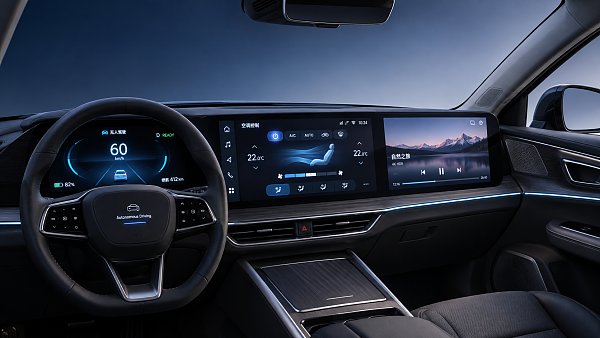
This matters even more in newer vehicles. Smart cockpit electronics now interact with HUD units, cockpit displays, cameras, communication cables, and body networks.
A fault in one area can look like a head unit issue while the real trigger sits in wiring, voltage fluctuation, or gateway communication.
A more reliable approach is to judge the usage scene first. Was the complaint triggered at cold start, after long driving, during charging, or after software updates?
That first distinction shortens diagnosis time and reduces repeat repairs, especially in mixed fleets where platform architecture differs by region and model year.
Different operating scenes change the likely root cause
Not every in-vehicle infotainment complaint should be handled as a media unit failure. The environment around the system often decides what should be checked first.
Vehicles with high digital integration behave differently from simpler platforms. A display blackout in one model may be a panel issue, while another points to CAN or Ethernet loss.
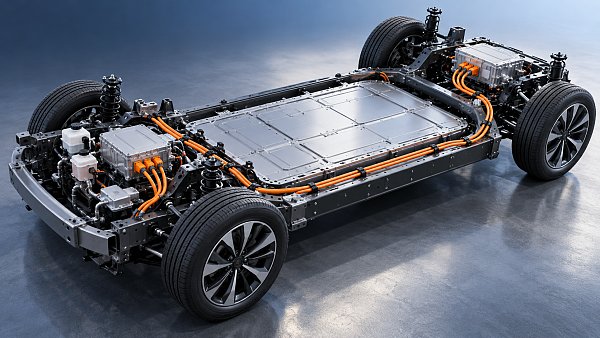
Electrified platforms add another layer. Power conversion events, thermal management cycling, and high-voltage architecture can indirectly affect low-voltage infotainment behavior.
That is why broader component knowledge matters. Insights from smart cockpit electronics, wiring harness routing, and thermal systems often improve in-vehicle infotainment troubleshooting.
In practical terms, the first question is not only what failed. It is under which condition the failure becomes repeatable.
Cold-start glitches usually point somewhere else
When in-vehicle infotainment takes too long to boot, reboots once, or loses touch response in the first minutes, low-voltage instability is a frequent suspect.
This is common after overnight parking, battery weakness, or poor ground continuity. In colder regions, connector contraction can also expose marginal contact issues.
Replacing the display too early is a common mistake. A voltage drop trace during crank and wake-up often reveals more than static inspection.
Failures after long drive cycles often involve heat and communication load
If in-vehicle infotainment works normally at startup but freezes after extended use, heat buildup becomes a more relevant judgment point.
Head units, cockpit displays, processors, and communication modules may throttle or lose stability when ventilation paths are blocked or cabin temperatures stay high.
This pattern is increasingly visible in larger display systems. More computing load means tighter thermal margins, especially in compact dashboard packaging.
What high-frequency fault scenes usually reveal
Some service complaints appear different on the surface but share the same in-vehicle infotainment root path. Grouping them by behavior helps avoid random part swaps.
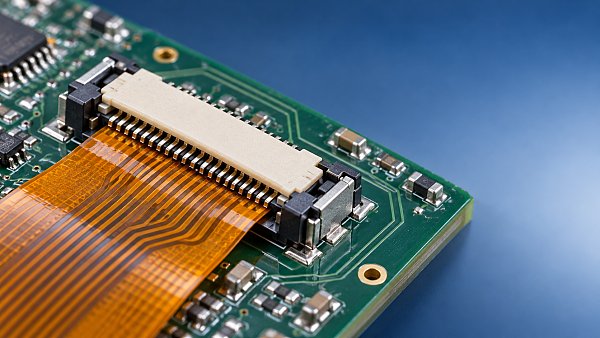
- Black screen with backlight present: often linked to LVDS, FPC, display driver, or panel-side connector issues.
- Full reboot during engine start: usually tied to supply dip, weak battery support, grounding, or wake-up sequencing.
- No sound but screen normal: amplifier wake signal, software routing, or communication handshake should be checked.
- Bluetooth and navigation both unstable: gateway latency, antenna path, or software stack corruption may be involved.
- Touch drift after heat soak: panel aging, bonding issues, or thermal expansion around the display assembly can be the cause.
A useful rule is to separate signal loss from control loss. If audio, display, and touch fail together, upstream power or network issues become more likely.
If only one function drops out, a local module fault becomes more probable. That distinction saves time in complex dashboard disassembly.
The diagnosis focus is not the same across vehicle configurations
The decision path for in-vehicle infotainment changes with vehicle architecture, display count, and integration depth. Similar complaints can require different repair logic.
This is where component ecosystem knowledge becomes useful. Media head units, FPC systems, data cables, and cockpit displays should be judged as a connected chain.
Where repair paths often go wrong in real workshops
One common misjudgment is treating every in-vehicle infotainment freeze as a software issue. Updates may help, but they do not fix unstable supply or poor connections.
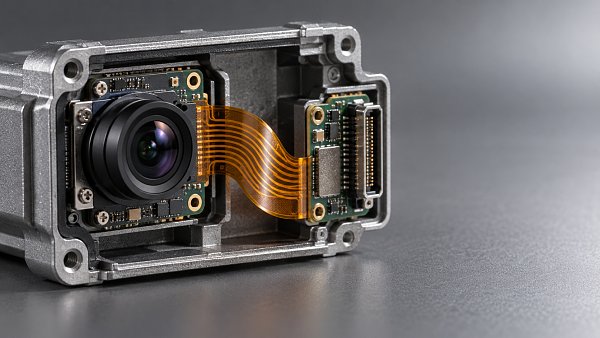
Another is replacing the head unit after a display complaint without checking intermediate links. Damaged FPC traces or stressed connectors can imitate module failure.
Retrofit-related faults are also underestimated. Dash cameras, chargers, audio upgrades, and non-original screens can introduce voltage noise or hidden harness tension.
Some cases are missed because the test environment is too short. A system that passes a five-minute check may still fail after cabin heat builds up.
There is also a regional dimension. Vehicles operating in humid, dusty, or high-temperature markets may show earlier connector oxidation or thermal fatigue.
For that reason, repair history should be compared with local usage conditions, not only with generic fault charts.
A practical fix path for recurring in-vehicle infotainment complaints
When the same in-vehicle infotainment issue returns, a staged path works better than direct replacement. The goal is to isolate the fault layer quickly.
- Reproduce the failure under the original condition, such as cold start, charging, vibration, or prolonged cabin heat.
- Record power, wake-up timing, and communication status before disconnecting any module.
- Check grounding points, connector locking, harness bends, and cable routing near moving or heated structures.
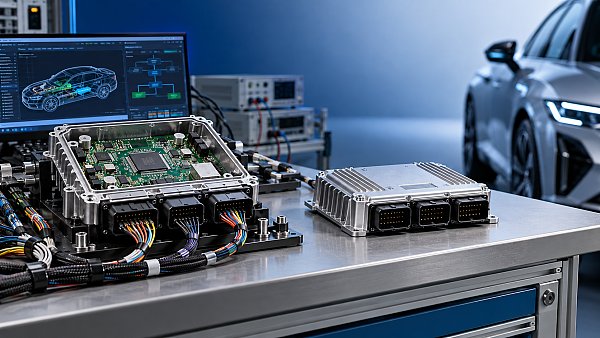
- Separate software mismatch from hardware loss by reviewing logs, version history, and gateway behavior.
- Only then confirm whether the repair should target the display, head unit, amplifier, cable, or control module.
In more integrated cabins, this method reduces unnecessary replacement costs and protects parts availability for genuinely failed units.
It also aligns with how the automotive components market is evolving. Digital cockpits now depend on tighter coordination between electronics, harnesses, and thermal packaging.
What to confirm before deciding the next repair step
A reliable in-vehicle infotainment decision usually comes from a short checklist, not from one symptom alone.
- Define when the fault appears and whether temperature, startup load, or road vibration changes its frequency.
- Confirm whether other cockpit functions fail at the same moment, including HUD, cameras, steering wheel controls, or audio.
- Review previous repairs, battery condition, accessory additions, and software history together.
- Inspect cable and connector condition with the same attention given to visible modules.
- Compare repair cost against the chance of repeat failure if the root cause remains outside the replaced part.
That is usually the point where the diagnosis becomes more accurate. It also helps build a stronger internal standard for future in-vehicle infotainment cases.
For ongoing reference, it is worth tracking how cockpit electronics, wiring systems, and thermal constraints interact across different vehicle platforms and markets.
The next practical step is to map recurring complaints by scene, compare the failed link in each case, and refine a repair checklist around those patterns.
Have questions about this sector analysis, or seeking best practices specific to your niche? Drop us a line below and let the senior consultants at GAC assist you.
“We respect your privacy. Your information is strictly confidential.”
Related News
- 00
0000-00
How to compare noise ratings for battery coolant pumps - 00
0000-00
How bright should automotive display systems be in sunlight? - 00
0000-00
How heat pumps improve the efficiency of EV thermal systems - 00
0000-00
Can a smart cockpit platform support multiple displays? - 00
0000-00
How is automotive connector vibration resistance tested?
Weekly Insights
Stay ahead with our curated technology reports delivered every Monday.
Recommended News
 How to compare noise ratings for battery coolant pumpsCompare coolant pump low noise ratings with confidence. Learn how test conditions, hydraulic duty, tonal noise and installation affect your choice.Author:Time:Nov 10, 2026
 How bright should automotive display systems be in sunlight?Automotive Display Systems need more than brightness to stay readable in sunlight. Discover why 1,000 nits is a starting point and how to evaluate glare and heat.Author:Time:Nov 09, 2026
 How heat pumps improve the efficiency of EV thermal systemsEV Thermal Systems use heat pumps to reduce heating energy demand. Explore how they work, where they excel, and what limits efficiency in cold weather.Author:Time:Nov 08, 2026
 Can a smart cockpit platform support multiple displays?Can a smart cockpit platform support multiple displays? Explore key requirements for performance, safety, connectivity, and supplier evaluation.Author:Time:Nov 07, 2026
 How is automotive connector vibration resistance tested?Automotive connector vibration resistance testing reveals hidden contact failures. Explore test profiles, continuity monitoring and pass criteria.Author:Time:Nov 06, 2026
 How heat pumps save energy in automotive cabin climate systemsAutomotive Cabin Climate Systems energy saving starts with smarter heat pump design. Explore real-world efficiency, cold-weather trade-offs, and testing tips.Author:Time:Nov 05, 2026
 Is an EV heat pump worth it for winter driving range?Is a heat pump worth using in a cold-climate EV? Discover how it affects winter range, when it pays off, and what to check before buying.Author:Time:Nov 04, 2026
 When should you use 50-ohm coaxial cable instead of 75-ohm?Coaxial cable 50 ohm or 75 ohm? Learn when to use each, avoid impedance mismatches, and choose the right cable for reliable RF and video performance.Author:Time:Nov 03, 2026
 How to select a high temperature motor harness for an EVChoose the right high temperature motor harness for your EV. Compare thermal limits, current capacity, shielding, routing, and validation evidence.Author:Time:Nov 02, 2026
 How much does electric power steering replacement cost?Electric power steering price typically ranges from $1,000 to $3,000 for major replacements. Discover cost factors, repair options, and tips for comparing quotes.Author:Time:Nov 01, 2026
 How to size an EV A/C compressor for the required cooling capacitySize an EV A/C Compressor with confidence. Explore cooling loads, performance maps and power limits to select the right compressor for your vehicle.Author:Time:Oct 31, 2026
 How to choose the right pitch for an FPC board connectorFPC board connector pitch affects space, assembly and reliability. Learn how to compare options and select the best fit for your design.Author:Time:Oct 30, 2026
 How zonal design affects harness routing in high-voltage EV architecturesExplore high-voltage electrical architecture zonal design and its impact on EV harness routing. Discover key trade-offs in cable length, safety, thermal performance, and service access.Author:Time:Oct 29, 2026
 How tariffs affect costs in global automotive parts supply chainsNavigate tariffs in the global automotive parts trade supply chain. Learn to compare landed costs, manage duty exposure, and uncover smarter sourcing strategies to protect your margins.Author:Time:Oct 28, 2026
 How to assess vendor lock-in in a software-defined vehicle platformAssess Software-Defined Vehicle platform lock-in with practical tests for API portability, data access, update control, and exit costs. Learn how to choose a platform with a proven exit path.Author:Time:Oct 27, 2026
 How ISO 26262 guides functional safety in steer-by-wire systemsExplore steering systems functional safety through ISO 26262. Learn how hazard analysis, fault-tolerant design, and validation build a stronger steer-by-wire safety case.Author:Time:Oct 26, 2026
 How to evaluate a steering angle sensor manufacturer's accuracy claimsEvaluate steering angle sensor manufacturer accuracy claims with practical checks on calibration, latency, and test evidence. Compare suppliers confidently and avoid costly selection mistakes.Author:Time:Oct 25, 2026
 How to diagnose CAN bus faults in a hybrid vehicle control unitDiagnose Hybrid Vehicle Systems control unit CAN bus faults with step-by-step power, wiring, and waveform checks. Find the root cause and avoid unnecessary replacement.Author:Time:Oct 24, 2026
 How does battery cooling pipe diameter affect coolant pressure drop?Battery Cooling Pipe diameter affects coolant pressure drop and pump power. Explore sizing calculations and practical tips to optimize EV battery cooling and compare options with confidence.Author:Time:Oct 23, 2026
 How to assess PPAP readiness of automotive sensor system manufacturersAssess Automotive Sensor Systems manufacturers for PPAP readiness. Learn to verify production evidence, measurement capability, validation, and traceability to reduce sourcing risks.Author:Time:Oct 22, 2026
 What to ask an FPC connector manufacturer about reliability testingChoosing an FPC Connector manufacturer? Learn what to ask about reliability testing, failure limits, and traceable results to reduce design risks and select with confidence.Author:Time:Oct 21, 2026
 How to verify vehicle fitment for an aftermarket AC evaporatorNavigating the evaporator aftermarket? Verify vehicle fitment with VIN data, OE numbers, and physical interface checks. Use this guide to avoid costly mismatches and order confidently.Author:Time:Oct 20, 2026
 How electric compressor speed affects EV battery cooling capacityElectric compressor technology: battery cooling depends on more than RPM. Discover how speed, refrigerant flow, and system limits affect EV cooling capacity and energy efficiency.Author:Time:Oct 19, 2026
 How to verify a variable frequency compressor supplier’s efficiency claimsVerify a variable frequency compressor supplier’s efficiency claims using COP boundaries, matched test conditions, and duty-cycle data. Learn how to choose with confidence.Author:Time:Oct 18, 2026
 How bend radius affects FPC reliability in automotive camera modulesAutomotive FPC applications: camera module reliability starts with bend radius. Learn how stack-up, strain, and validation guide robust designs and help prevent costly failures.Author:Time:Oct 17, 2026
 How to diagnose intermittent loss of electric power steering assistMaster power steering system diagnostics to trace intermittent EPS assist loss. Learn proven checks for voltage, wiring, and fault codes to avoid costly guesswork.Author:Time:Oct 16, 2026
 How to size automotive power modules for electric compressorsSize automotive power modules for electric compressors with confidence. Learn how voltage, phase current, losses, and cooling shape reliable selection—and avoid costly oversizing.Author:Time:Oct 15, 2026
 Why automotive power electronics are shifting to silicon carbideAutomotive Power Electronics are shifting to silicon carbide. Discover how SiC can cut losses, boost EV power density, and reshape cooling, reliability, and system costs.Author:Time:Oct 14, 2026
 How EV adoption shapes the electrically driven compressor marketExplore how EV adoption shapes the electrically driven compressor market, from battery cooling and heat pumps to supplier margins. Discover the drivers of profitable growth.Author:Time:Oct 13, 2026
 How to size a PTC heater for reliable EV cabin heatingPTC Heater sizing for EV cabins: learn how to balance defrost performance, heat-pump integration, airflow, voltage range, and battery power for reliable winter comfort.Author:Time:Oct 12, 2026