Cockpit Display HMI Integration: Key Design Risks and Validation Steps




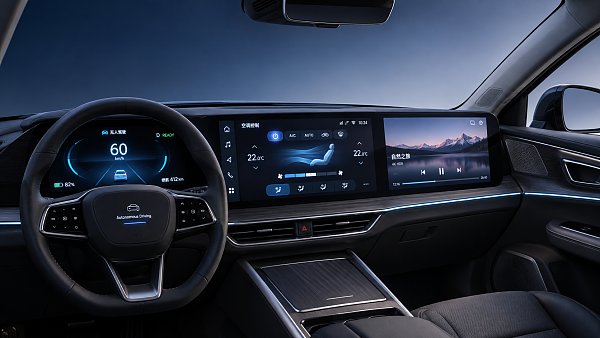
Cockpit display HMI integration has become a defining issue in smart cockpit development because the display is no longer a standalone screen. It is the visible endpoint of graphics processing, touch sensing, optics, thermal control, network communication, power delivery, and in-vehicle software logic.
When those layers are aligned, the interface feels immediate, readable, and dependable. When they are not, the result can be lag, glare, inaccurate touch response, visual clutter, driver distraction, and difficult field failures that appear only after vehicle integration.
That is why cockpit display HMI integration matters well beyond infotainment styling. It connects directly with smart cockpit electronics, HUD systems, media head units, FPC routing, data cables, thermal behavior, and high-voltage electrical architecture across today’s automotive supply chain.
Why Integration Risk Is Rising
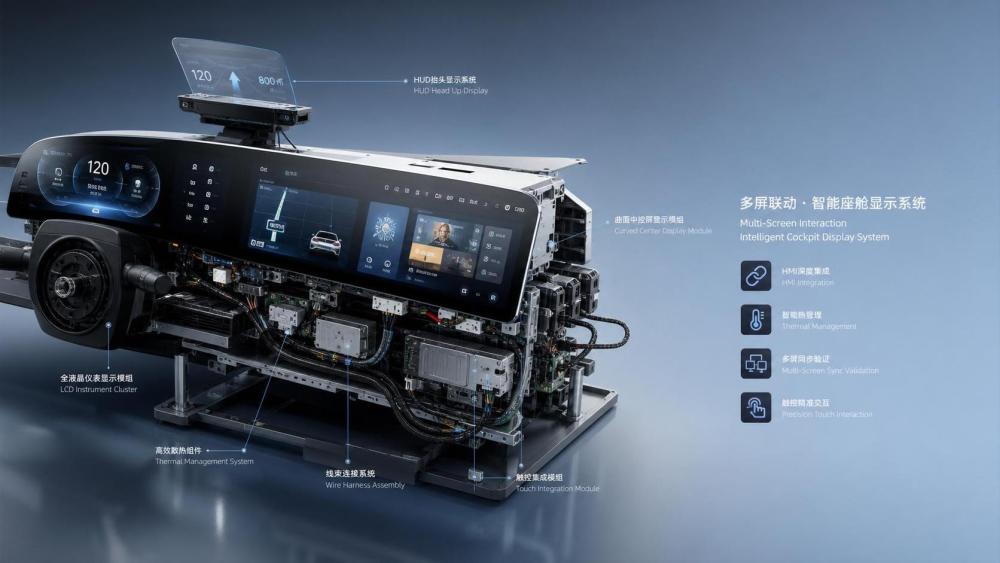
Display programs now carry more functions than earlier center stacks or instrument clusters. Navigation, ADAS alerts, camera views, media, climate control, charging status, and vehicle diagnostics often share one visual environment.
At the same time, cockpit display HMI integration must support larger screens, curved panels, slimmer bezels, multi-display synchronization, and regional software variants. These changes expand both the user experience opportunity and the validation burden.
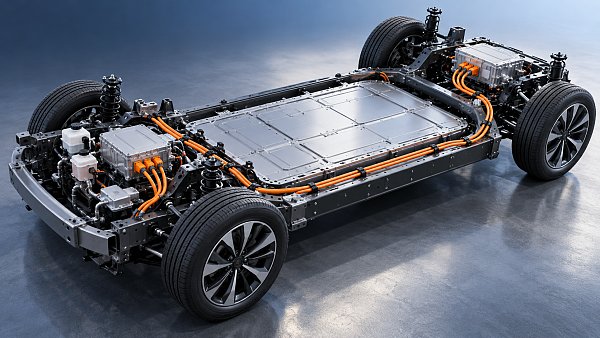
Electrification adds another layer. Thermal loads from processors, backlights, power electronics, and nearby harnesses affect display stability. In NEV platforms, interface performance is increasingly linked with thermal management and power distribution decisions made earlier in the vehicle architecture.
From an industry intelligence perspective, this is where smart cockpit components intersect with broader automotive systems. GACT tracks that intersection because display quality is influenced by component selection, standards interpretation, supplier maturity, and production consistency across markets.
What Cockpit Display HMI Integration Really Covers
In practical terms, cockpit display HMI integration is the process of making the hardware, software, and human interaction model behave as one system inside the vehicle environment.
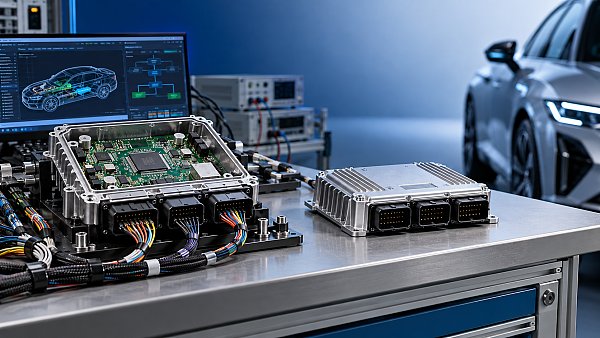
It includes the display module itself, but also the graphics controller, operating system, touch stack, UI framework, domain controller, wiring, connectors, EMI behavior, lighting conditions, and the logic used to prioritize warnings and actions.
A technically acceptable display panel can still lead to a poor vehicle result if the integration path is weak. Many failures come from interfaces between subsystems rather than from a single defective component.
Core interfaces that shape final performance
- Display panel, cover lens, bonding, brightness, and color behavior
- Touch accuracy, gesture recognition, haptic response, and glove performance
- SoC throughput, boot time, graphics rendering, and memory handling
- CAN, Ethernet, LVDS, FPD-Link, and data communication reliability
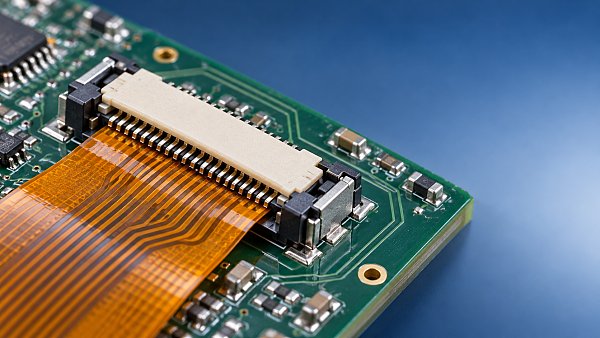
- Wiring harness layout, FPC durability, connector retention, and EMC control
- Thermal design around displays, media units, and adjacent electronic modules
Design Risks That Often Escape Early Reviews
The most expensive issues in cockpit display HMI integration are rarely obvious during a bench demo. They appear when the system meets sunlight, vibration, cold boot conditions, network traffic, and real driving workflows.
Optical and readability failures
Brightness values on paper do not guarantee legibility in the vehicle. Reflectance, polarization effects, viewing angle shift, black level, and anti-glare treatments can undermine a screen that looks strong in laboratory lighting.
This becomes more critical when cockpit display HMI integration includes HUD coordination or multiple displays. Inconsistent color tone, contrast, or visual hierarchy can increase cognitive load during short decision windows.
Latency and event timing problems
Touch-to-display latency is one of the easiest ways to damage perceived quality. Delay may come from sensor filtering, middleware overhead, overloaded processors, or message timing across the vehicle network.
In safety-relevant states, delayed transitions between warning content and normal content can also create compliance and usability concerns.
Thermal drift and long-duration instability
Large cockpit displays generate heat, and enclosure packaging often limits dissipation. Prolonged thermal stress can shift brightness, increase lag, trigger resets, or shorten component life.
This is one reason smart cockpit electronics cannot be assessed in isolation. Thermal links to nearby modules, airflow paths, and vehicle HVAC behavior deserve attention during integration reviews.
Network and architecture conflicts
Cockpit display HMI integration increasingly depends on domain or zonal architectures. If bandwidth planning, message prioritization, or gateway logic is weak, the interface can degrade under mixed operating loads.
The screen may not fail completely. Instead, it may show intermittent sync loss, camera stutter, delayed vehicle status updates, or state mismatches between cluster, center display, and steering controls.
A Practical Validation Framework
Validation should follow the same system view as the design. A narrow component test plan will miss the interactions that define real cockpit behavior.
A useful approach is to separate the work into four layers, then force cross-checks between them.
Validation steps worth prioritizing
- Measure end-to-end latency, not only software response time
- Test under sunlight, polarized eyewear, night driving, and off-angle viewing
- Run hot and cold soak cycles with repeated wake-sleep events
- Load the vehicle network with realistic traffic during UI testing
- Check multi-display consistency for warning priority and timing
- Review harness routing, shielding, grounding, and connector serviceability
Where Business Decisions Meet Technical Outcomes
Cockpit display HMI integration is not only an engineering topic. It affects sourcing risk, launch timing, homologation effort, and aftersales exposure.
A low-cost panel may trigger higher system costs if it needs stronger cooling, tighter optical compensation, or repeated software tuning. A visually impressive interface may still be a weak choice if the supply chain cannot hold consistency across regions.
This is where cross-category intelligence becomes useful. Display decisions interact with media head units, HUD platforms, FPC systems, data and communication cables, and even adjacent thermal components. Looking at them together gives a more realistic view of production readiness.
For global programs, regional factors also matter. Standards, climate profiles, software localization, and supplier ecosystem maturity differ across China, the United States, Germany, Japan, South Korea, India, Mexico, Southeast Asia, and Europe.
How to Read the Next Evaluation Round
A strong review of cockpit display HMI integration should move beyond feature lists. The better questions are about system behavior under stress, interface clarity during real tasks, and whether the architecture can hold performance over program life.
Useful next steps usually start with a structured comparison: map key failure modes, align them with validation evidence, and identify which gaps still depend on assumptions rather than measured results.
It also helps to compare display choices with related cockpit and vehicle subsystems instead of treating them as separate procurement items. In practice, that wider lens often exposes the hidden trade-offs earlier.
For organizations tracking smart cockpit trends through GACT, the most reliable path is to combine component insight, standards updates, and application scenario analysis before locking the display platform. That makes cockpit display HMI integration easier to judge on durability, usability, and launch readiness rather than appearance alone.
Have questions about this sector analysis, or seeking best practices specific to your niche? Drop us a line below and let the senior consultants at GAC assist you.
“We respect your privacy. Your information is strictly confidential.”
Related News
- 00
0000-00
How to compare noise ratings for battery coolant pumps - 00
0000-00
How bright should automotive display systems be in sunlight? - 00
0000-00
How heat pumps improve the efficiency of EV thermal systems - 00
0000-00
Can a smart cockpit platform support multiple displays? - 00
0000-00
How is automotive connector vibration resistance tested?
Weekly Insights
Stay ahead with our curated technology reports delivered every Monday.
Recommended News
 How to compare noise ratings for battery coolant pumpsCompare coolant pump low noise ratings with confidence. Learn how test conditions, hydraulic duty, tonal noise and installation affect your choice.Author:Time:Nov 10, 2026
 How bright should automotive display systems be in sunlight?Automotive Display Systems need more than brightness to stay readable in sunlight. Discover why 1,000 nits is a starting point and how to evaluate glare and heat.Author:Time:Nov 09, 2026
 How heat pumps improve the efficiency of EV thermal systemsEV Thermal Systems use heat pumps to reduce heating energy demand. Explore how they work, where they excel, and what limits efficiency in cold weather.Author:Time:Nov 08, 2026
 Can a smart cockpit platform support multiple displays?Can a smart cockpit platform support multiple displays? Explore key requirements for performance, safety, connectivity, and supplier evaluation.Author:Time:Nov 07, 2026
 How is automotive connector vibration resistance tested?Automotive connector vibration resistance testing reveals hidden contact failures. Explore test profiles, continuity monitoring and pass criteria.Author:Time:Nov 06, 2026
 How heat pumps save energy in automotive cabin climate systemsAutomotive Cabin Climate Systems energy saving starts with smarter heat pump design. Explore real-world efficiency, cold-weather trade-offs, and testing tips.Author:Time:Nov 05, 2026
 Is an EV heat pump worth it for winter driving range?Is a heat pump worth using in a cold-climate EV? Discover how it affects winter range, when it pays off, and what to check before buying.Author:Time:Nov 04, 2026
 When should you use 50-ohm coaxial cable instead of 75-ohm?Coaxial cable 50 ohm or 75 ohm? Learn when to use each, avoid impedance mismatches, and choose the right cable for reliable RF and video performance.Author:Time:Nov 03, 2026
 How to select a high temperature motor harness for an EVChoose the right high temperature motor harness for your EV. Compare thermal limits, current capacity, shielding, routing, and validation evidence.Author:Time:Nov 02, 2026
 How much does electric power steering replacement cost?Electric power steering price typically ranges from $1,000 to $3,000 for major replacements. Discover cost factors, repair options, and tips for comparing quotes.Author:Time:Nov 01, 2026
 How to size an EV A/C compressor for the required cooling capacitySize an EV A/C Compressor with confidence. Explore cooling loads, performance maps and power limits to select the right compressor for your vehicle.Author:Time:Oct 31, 2026
 How to choose the right pitch for an FPC board connectorFPC board connector pitch affects space, assembly and reliability. Learn how to compare options and select the best fit for your design.Author:Time:Oct 30, 2026
 How zonal design affects harness routing in high-voltage EV architecturesExplore high-voltage electrical architecture zonal design and its impact on EV harness routing. Discover key trade-offs in cable length, safety, thermal performance, and service access.Author:Time:Oct 29, 2026
 How tariffs affect costs in global automotive parts supply chainsNavigate tariffs in the global automotive parts trade supply chain. Learn to compare landed costs, manage duty exposure, and uncover smarter sourcing strategies to protect your margins.Author:Time:Oct 28, 2026
 How to assess vendor lock-in in a software-defined vehicle platformAssess Software-Defined Vehicle platform lock-in with practical tests for API portability, data access, update control, and exit costs. Learn how to choose a platform with a proven exit path.Author:Time:Oct 27, 2026
 How ISO 26262 guides functional safety in steer-by-wire systemsExplore steering systems functional safety through ISO 26262. Learn how hazard analysis, fault-tolerant design, and validation build a stronger steer-by-wire safety case.Author:Time:Oct 26, 2026
 How to evaluate a steering angle sensor manufacturer's accuracy claimsEvaluate steering angle sensor manufacturer accuracy claims with practical checks on calibration, latency, and test evidence. Compare suppliers confidently and avoid costly selection mistakes.Author:Time:Oct 25, 2026
 How to diagnose CAN bus faults in a hybrid vehicle control unitDiagnose Hybrid Vehicle Systems control unit CAN bus faults with step-by-step power, wiring, and waveform checks. Find the root cause and avoid unnecessary replacement.Author:Time:Oct 24, 2026
 How does battery cooling pipe diameter affect coolant pressure drop?Battery Cooling Pipe diameter affects coolant pressure drop and pump power. Explore sizing calculations and practical tips to optimize EV battery cooling and compare options with confidence.Author:Time:Oct 23, 2026
 How to assess PPAP readiness of automotive sensor system manufacturersAssess Automotive Sensor Systems manufacturers for PPAP readiness. Learn to verify production evidence, measurement capability, validation, and traceability to reduce sourcing risks.Author:Time:Oct 22, 2026
 What to ask an FPC connector manufacturer about reliability testingChoosing an FPC Connector manufacturer? Learn what to ask about reliability testing, failure limits, and traceable results to reduce design risks and select with confidence.Author:Time:Oct 21, 2026
 How to verify vehicle fitment for an aftermarket AC evaporatorNavigating the evaporator aftermarket? Verify vehicle fitment with VIN data, OE numbers, and physical interface checks. Use this guide to avoid costly mismatches and order confidently.Author:Time:Oct 20, 2026
 How electric compressor speed affects EV battery cooling capacityElectric compressor technology: battery cooling depends on more than RPM. Discover how speed, refrigerant flow, and system limits affect EV cooling capacity and energy efficiency.Author:Time:Oct 19, 2026
 How to verify a variable frequency compressor supplier’s efficiency claimsVerify a variable frequency compressor supplier’s efficiency claims using COP boundaries, matched test conditions, and duty-cycle data. Learn how to choose with confidence.Author:Time:Oct 18, 2026
 How bend radius affects FPC reliability in automotive camera modulesAutomotive FPC applications: camera module reliability starts with bend radius. Learn how stack-up, strain, and validation guide robust designs and help prevent costly failures.Author:Time:Oct 17, 2026
 How to diagnose intermittent loss of electric power steering assistMaster power steering system diagnostics to trace intermittent EPS assist loss. Learn proven checks for voltage, wiring, and fault codes to avoid costly guesswork.Author:Time:Oct 16, 2026
 How to size automotive power modules for electric compressorsSize automotive power modules for electric compressors with confidence. Learn how voltage, phase current, losses, and cooling shape reliable selection—and avoid costly oversizing.Author:Time:Oct 15, 2026
 Why automotive power electronics are shifting to silicon carbideAutomotive Power Electronics are shifting to silicon carbide. Discover how SiC can cut losses, boost EV power density, and reshape cooling, reliability, and system costs.Author:Time:Oct 14, 2026
 How EV adoption shapes the electrically driven compressor marketExplore how EV adoption shapes the electrically driven compressor market, from battery cooling and heat pumps to supplier margins. Discover the drivers of profitable growth.Author:Time:Oct 13, 2026
 How to size a PTC heater for reliable EV cabin heatingPTC Heater sizing for EV cabins: learn how to balance defrost performance, heat-pump integration, airflow, voltage range, and battery power for reliable winter comfort.Author:Time:Oct 12, 2026