HSD Cable Failures: Common Causes and Signal Stability Fixes




Why HSD Cable Failures Matter in Modern Vehicles

HSD Cable issues rarely start with a dramatic breakdown.
More often, they appear as unstable camera feeds, delayed touch response, audio dropouts, or random communication faults.
That makes HSD Cable diagnostics frustrating, especially when the system seems to work during a quick inspection.
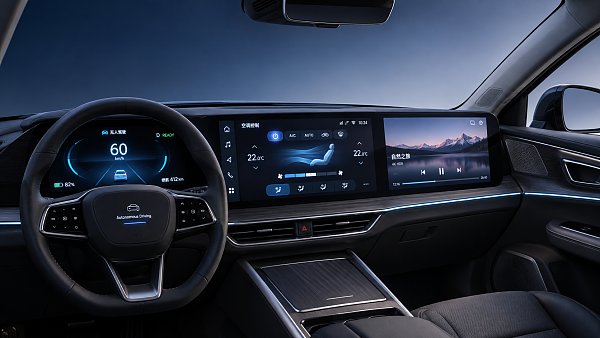
In smart cockpit systems, a weak HSD Cable link can affect infotainment, displays, USB hubs, LVDS transmission, and onboard communication modules.
The real risk is not just signal loss.
It is wasted labor time, repeated disassembly, unnecessary part replacement, and customer returns after repair.
As vehicle architecture becomes more connected, HSD Cable stability becomes a repair quality issue, not only a wiring issue.
That also means troubleshooting must move beyond simple continuity checks.
You need to look at signal integrity, connector condition, routing stress, shielding effectiveness, and matching between cable and terminal.
Common HSD Cable Failure Causes
Most HSD Cable faults follow a few repeat patterns.
Once you recognize them, diagnosis becomes faster and more accurate.
1. Connector loosening and poor terminal contact
This is one of the most common HSD Cable problems in aftermarket work.
Repeated dashboard removal can weaken latch retention or slightly deform the connector shell.
Even small movement creates intermittent signal reflection and unstable transmission.
2. Cable bending beyond design limits
HSD Cable routing often passes tight cockpit spaces.
Sharp bends near the connector or repeated compression behind trim panels can damage conductor geometry.
When impedance changes, high-speed signals become less stable.
3. Shielding damage and EMI exposure
A damaged shield can turn a stable HSD Cable into a noise entry point.
This becomes more obvious near power electronics, DC converters, display power lines, or wireless communication modules.
The symptom may look random, but EMI-related instability usually follows load changes.
4. Moisture, dust, and oxidation
Not every HSD Cable sits in a sealed, clean environment.
Moisture intrusion, workshop contamination, or long-term oxidation can raise contact resistance.
The result is weak transmission and unstable device recognition.
5. Mismatched replacement parts
A replacement that looks similar is not always signal-compatible.
Different HSD Cable assemblies may vary in impedance control, shielding quality, connector tolerance, and insertion stability.
That is why some faults appear only after a previous repair.
Typical Symptoms That Point to HSD Cable Trouble
Before removing parts, it helps to connect symptoms with likely HSD Cable behavior.
- Rearview or surround-view image flickers during driving.
- Display works cold, then fails after cabin temperature rises.
- Head unit resets when nearby harnesses are moved.
- USB or media module connects intermittently.
- No fault code appears, yet communication remains unstable.
- Signal quality changes after trim reassembly.
These signs do not confirm an HSD Cable fault by themselves.
Still, they are strong clues when several appear together.
A Practical Inspection Process for Faster Diagnosis
A structured process saves time and avoids replacing healthy modules.
- Confirm the symptom under the same load, temperature, and operating mode.
- Inspect each HSD Cable connector for latch wear, pin damage, and shell deformation.
- Check routing points for tight bends, pinch marks, abrasion, or contact with sharp edges.
- Review nearby EMI sources, especially added electronics or modified power wiring.
- Use a known-good HSD Cable when possible for controlled substitution.
- Recheck after reassembly, because stress can return during panel installation.
In actual service work, the reassembly check is often where hidden problems return.
That is why a repair should be verified in its final installed condition.
Signal Stability Fixes That Actually Work
Once the failure source is clear, focus on fixes that improve long-term HSD Cable stability.
Restore connector security
Replace worn connectors instead of forcing a loose fit.
If the latch no longer locks positively, the HSD Cable connection is not reliable enough.
Correct routing stress
Reroute the HSD Cable to maintain a gentler bend radius.
Avoid clamping it under brackets or pushing it into crowded trim spaces.
Recover shielding protection
If the shield is compromised, replacement is usually better than cosmetic repair.
A patched outer layer does not always restore HSD Cable signal performance.
Eliminate contamination at contact points
Clean connectors only with approved methods and inspect for corrosion afterward.
If oxidation is visible, replacing the HSD Cable end assembly is often the safer choice.
Use specification-matched parts
Choose an HSD Cable that matches connector type, shielding design, and intended signal application.
This matters even more in cockpit displays, cameras, and media communication links.
Quick Reference: Faults and Fixes
How to Prevent Repeat HSD Cable Problems
Prevention is usually less about extra parts and more about better handling.
- Support the connector body during removal, not just the cable.
- Protect the HSD Cable from trim edge pressure during reinstallation.
- Keep high-speed lines away from strong electrical noise sources.
- Avoid mixing visually similar parts without checking specifications.
- Verify function after the cabin is fully reassembled.
From recent vehicle design trends, these checks are becoming more important, not less.
Cockpit electronics, display links, and data communication paths are growing denser every model cycle.
That means one overlooked HSD Cable issue can affect multiple user-facing functions at once.
Final Takeaway
HSD Cable failures are rarely mysterious once the pattern is understood.
Most problems come from connector wear, routing stress, shielding loss, contamination, or wrong replacement choices.
A careful inspection process, combined with specification-matched repairs, improves signal stability and reduces comeback risk.
When an HSD Cable fault is suspected, the best move is to test the full signal path, repair the real cause, and confirm performance after reassembly.
That approach keeps diagnosis practical, repairs durable, and vehicle communication systems stable where it matters most.
Have questions about this sector analysis, or seeking best practices specific to your niche? Drop us a line below and let the senior consultants at GAC assist you.
“We respect your privacy. Your information is strictly confidential.”
Related News
- 00
0000-00
Can a smart cockpit platform support multiple displays? - 00
0000-00
How is automotive connector vibration resistance tested? - 00
0000-00
How heat pumps save energy in automotive cabin climate systems - 00
0000-00
Is an EV heat pump worth it for winter driving range? - 00
0000-00
When should you use 50-ohm coaxial cable instead of 75-ohm?
Weekly Insights
Stay ahead with our curated technology reports delivered every Monday.
Recommended News
 Can a smart cockpit platform support multiple displays?Can a smart cockpit platform support multiple displays? Explore key requirements for performance, safety, connectivity, and supplier evaluation.Author:Time:Nov 07, 2026
 How is automotive connector vibration resistance tested?Automotive connector vibration resistance testing reveals hidden contact failures. Explore test profiles, continuity monitoring and pass criteria.Author:Time:Nov 06, 2026
 How heat pumps save energy in automotive cabin climate systemsAutomotive Cabin Climate Systems energy saving starts with smarter heat pump design. Explore real-world efficiency, cold-weather trade-offs, and testing tips.Author:Time:Nov 05, 2026
 Is an EV heat pump worth it for winter driving range?Is a heat pump worth using in a cold-climate EV? Discover how it affects winter range, when it pays off, and what to check before buying.Author:Time:Nov 04, 2026
 When should you use 50-ohm coaxial cable instead of 75-ohm?Coaxial cable 50 ohm or 75 ohm? Learn when to use each, avoid impedance mismatches, and choose the right cable for reliable RF and video performance.Author:Time:Nov 03, 2026
 How to select a high temperature motor harness for an EVChoose the right high temperature motor harness for your EV. Compare thermal limits, current capacity, shielding, routing, and validation evidence.Author:Time:Nov 02, 2026
 How much does electric power steering replacement cost?Electric power steering price typically ranges from $1,000 to $3,000 for major replacements. Discover cost factors, repair options, and tips for comparing quotes.Author:Time:Nov 01, 2026
 How to size an EV A/C compressor for the required cooling capacitySize an EV A/C Compressor with confidence. Explore cooling loads, performance maps and power limits to select the right compressor for your vehicle.Author:Time:Oct 31, 2026
 How to choose the right pitch for an FPC board connectorFPC board connector pitch affects space, assembly and reliability. Learn how to compare options and select the best fit for your design.Author:Time:Oct 30, 2026
 How zonal design affects harness routing in high-voltage EV architecturesExplore high-voltage electrical architecture zonal design and its impact on EV harness routing. Discover key trade-offs in cable length, safety, thermal performance, and service access.Author:Time:Oct 29, 2026
 How tariffs affect costs in global automotive parts supply chainsNavigate tariffs in the global automotive parts trade supply chain. Learn to compare landed costs, manage duty exposure, and uncover smarter sourcing strategies to protect your margins.Author:Time:Oct 28, 2026
 How to assess vendor lock-in in a software-defined vehicle platformAssess Software-Defined Vehicle platform lock-in with practical tests for API portability, data access, update control, and exit costs. Learn how to choose a platform with a proven exit path.Author:Time:Oct 27, 2026
 How ISO 26262 guides functional safety in steer-by-wire systemsExplore steering systems functional safety through ISO 26262. Learn how hazard analysis, fault-tolerant design, and validation build a stronger steer-by-wire safety case.Author:Time:Oct 26, 2026
 How to evaluate a steering angle sensor manufacturer's accuracy claimsEvaluate steering angle sensor manufacturer accuracy claims with practical checks on calibration, latency, and test evidence. Compare suppliers confidently and avoid costly selection mistakes.Author:Time:Oct 25, 2026
 How to diagnose CAN bus faults in a hybrid vehicle control unitDiagnose Hybrid Vehicle Systems control unit CAN bus faults with step-by-step power, wiring, and waveform checks. Find the root cause and avoid unnecessary replacement.Author:Time:Oct 24, 2026
 How does battery cooling pipe diameter affect coolant pressure drop?Battery Cooling Pipe diameter affects coolant pressure drop and pump power. Explore sizing calculations and practical tips to optimize EV battery cooling and compare options with confidence.Author:Time:Oct 23, 2026
 How to assess PPAP readiness of automotive sensor system manufacturersAssess Automotive Sensor Systems manufacturers for PPAP readiness. Learn to verify production evidence, measurement capability, validation, and traceability to reduce sourcing risks.Author:Time:Oct 22, 2026
 What to ask an FPC connector manufacturer about reliability testingChoosing an FPC Connector manufacturer? Learn what to ask about reliability testing, failure limits, and traceable results to reduce design risks and select with confidence.Author:Time:Oct 21, 2026
 How to verify vehicle fitment for an aftermarket AC evaporatorNavigating the evaporator aftermarket? Verify vehicle fitment with VIN data, OE numbers, and physical interface checks. Use this guide to avoid costly mismatches and order confidently.Author:Time:Oct 20, 2026
 How electric compressor speed affects EV battery cooling capacityElectric compressor technology: battery cooling depends on more than RPM. Discover how speed, refrigerant flow, and system limits affect EV cooling capacity and energy efficiency.Author:Time:Oct 19, 2026
 How to verify a variable frequency compressor supplier’s efficiency claimsVerify a variable frequency compressor supplier’s efficiency claims using COP boundaries, matched test conditions, and duty-cycle data. Learn how to choose with confidence.Author:Time:Oct 18, 2026
 How bend radius affects FPC reliability in automotive camera modulesAutomotive FPC applications: camera module reliability starts with bend radius. Learn how stack-up, strain, and validation guide robust designs and help prevent costly failures.Author:Time:Oct 17, 2026
 How to diagnose intermittent loss of electric power steering assistMaster power steering system diagnostics to trace intermittent EPS assist loss. Learn proven checks for voltage, wiring, and fault codes to avoid costly guesswork.Author:Time:Oct 16, 2026
 How to size automotive power modules for electric compressorsSize automotive power modules for electric compressors with confidence. Learn how voltage, phase current, losses, and cooling shape reliable selection—and avoid costly oversizing.Author:Time:Oct 15, 2026
 Why automotive power electronics are shifting to silicon carbideAutomotive Power Electronics are shifting to silicon carbide. Discover how SiC can cut losses, boost EV power density, and reshape cooling, reliability, and system costs.Author:Time:Oct 14, 2026
 How EV adoption shapes the electrically driven compressor marketExplore how EV adoption shapes the electrically driven compressor market, from battery cooling and heat pumps to supplier margins. Discover the drivers of profitable growth.Author:Time:Oct 13, 2026
 How to size a PTC heater for reliable EV cabin heatingPTC Heater sizing for EV cabins: learn how to balance defrost performance, heat-pump integration, airflow, voltage range, and battery power for reliable winter comfort.Author:Time:Oct 12, 2026
 What determines the cooling output of electric automotive AC compressors?Automotive air conditioning compressors electric systems: explore how speed, voltage, refrigerant, controls, and heat exchangers shape EV cooling capacity and efficiency.Author:Time:Oct 11, 2026
 What makes a touchscreen media head unit responsive enough for daily use?Touchscreen media head unit performance explained: discover what delivers fast starts, smooth maps, reliable phone pairing, and responsive daily driving.Author:Time:Oct 10, 2026
 How Does a Battery Management System Communicate Cooling Demand?How does a battery management system communicate cooling demand? Explore CAN signals, thermal priorities, fault handling, and EV cooling control strategies.Author:Time:Oct 20, 2026